
UptimeRobot alternative for agencies: what client work needs
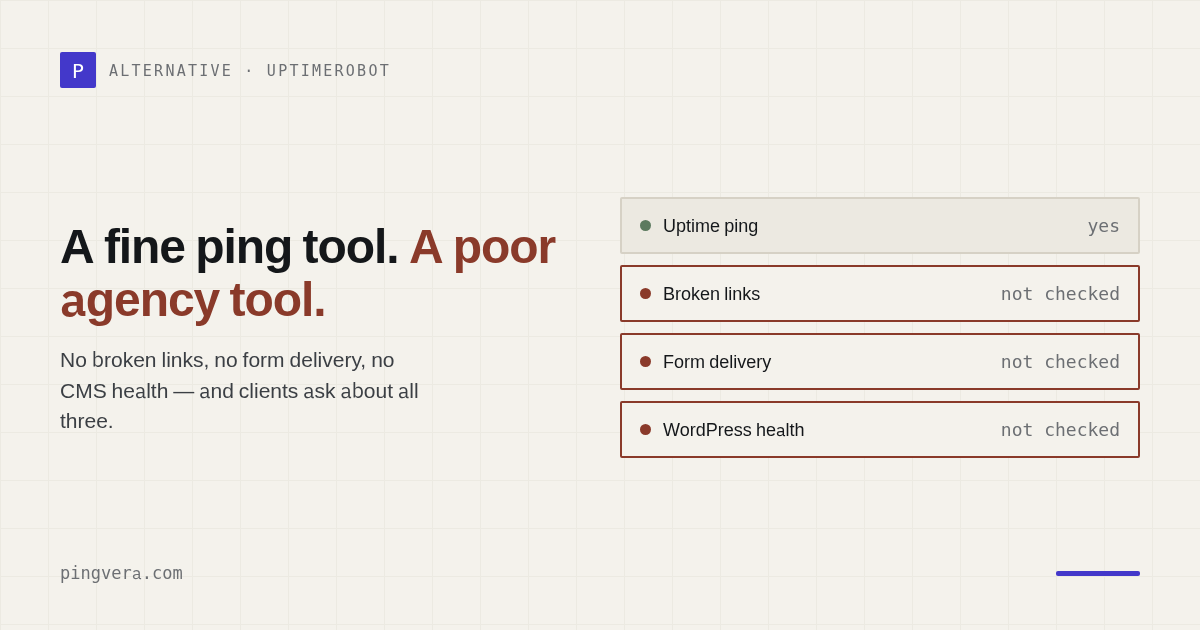
UptimeRobot is one of the first tools anyone reaches for, and for good reason: it's free to start, quick to set up, and it does the one thing it promises — tells you when a site stops responding. But if you look after sites for clients, you tend to hit the same set of walls within a few months. Not because it's bad, but because "is it up?" is a small part of "is my client's site okay?" Here are the walls people actually describe — and what to look for in something that clears them.
Wall 1 — no broken-link detection
A page can return a perfect 200 while half its internal links, images, or download files 404. Visitors hit dead ends, Google notices, and the "everything's green" dashboard says nothing. For content-heavy client sites this is a slow, invisible quality leak. An agency-grade tool should crawl the page and actually follow the links, then tell you which ones broke.
Wall 2 — SSL warnings come too late
Certificate monitoring that warns you a day or two before expiry — or worse, notices after the browser already shows the red screen — isn't much help. You want the warning weeks ahead, with a configurable threshold, and ideally paired with domain registration expiry too — the renewal that quietly lapses and takes the whole site down. Ping tools rarely watch the domain at all.
Wall 3 — "responding" isn't "working"
The deepest limitation is philosophical. A ping proves the server answered. It does not prove the
contact form still delivers a lead, that the checkout completes,
that the site wasn't quietly defaced or slapped with a noindex that dropped it out of
search. All of that can be broken while the monitor stays green — and you find out when the client
asks why enquiries dried up. Closing it takes synthetic checks that submit the form and assert the
result, plus content and de-indexing checks.
Wall 4 — nothing to show the client
Client work is sold on trust, and trust is easier to keep when it's visible. A shared status page on the client's own domain, and a monthly report with your logo — uptime, incidents, what you caught before it became a problem — turns silent maintenance into obvious value. A bare uptime dashboard you can't brand doesn't do that job.
What an agency-grade alternative looks like
Put together, the checklist for client work is:
- Past the ping: forms/checkout delivery, broken links, defacement and de-indexing, WordPress health — not just up/down.
- Domain + SSL expiry with a lead time you set, not a last-minute nudge.
- Multi-region confirmation so you're not chasing false "offline" alerts.
- Per-client organisation: the whole portfolio in one dashboard, grouped by client, filterable.
- White-label status pages and reports under your brand.
- All of it in one place, so you're not paying for and reconciling four tools.
That's precisely the gap Pingvera was built to fill — monitoring for studios, agencies and freelancers that watches the site as a business, confirms outages from several regions before it pings you, and hands you a branded report to give the client. Nothing to self-host, free for up to 5 sites.
FAQ
What are the limitations of UptimeRobot for agencies?
It's built around up/down pings. Agencies most often hit four walls: no broken-link detection, SSL warnings that arrive too late, no synthetic form/checkout check, and nothing white-label to show the client. It answers "is the server responding?" but not "is the site working as a business?"
What should I look for in an UptimeRobot alternative?
Domain and SSL expiry with configurable lead time, multi-region confirmation, synthetic form/checkout checks, broken-link and de-indexing detection, per-client grouping, and white-label status pages and reports — ideally all in one place.
Is there a monitoring tool made for web studios and freelancers?
Yes — Pingvera is built for people who look after other people's sites: a whole portfolio in one dashboard grouped by client, checks that go past the ping, alerts confirmed from multiple regions, and a white-label report for each client. Free for up to 5 sites.
Monitoring built for client portfolios
Forms, domain, SSL, broken links and WordPress health — plus multi-region confirmation and a white-label report for each client. All in one place. Free for up to 5 sites.
Start free — up to 5 sitesRead also: Pingvera vs UptimeRobot: the full comparison, Uptime Kuma is great — but it only pings and Leads stopped coming from the site — why the form goes silent.
Read next: How Web Agencies Monitor Client Sites on a Retainer · ManageWP Client Reports vs Pingvera for Agencies · A Website Client Report Clients Will Actually Read · StatusCake alternative for agencies: the free tier is 5 minutes, and… · Check availability from several regions.