
Uptime Kuma is great — but it only pings
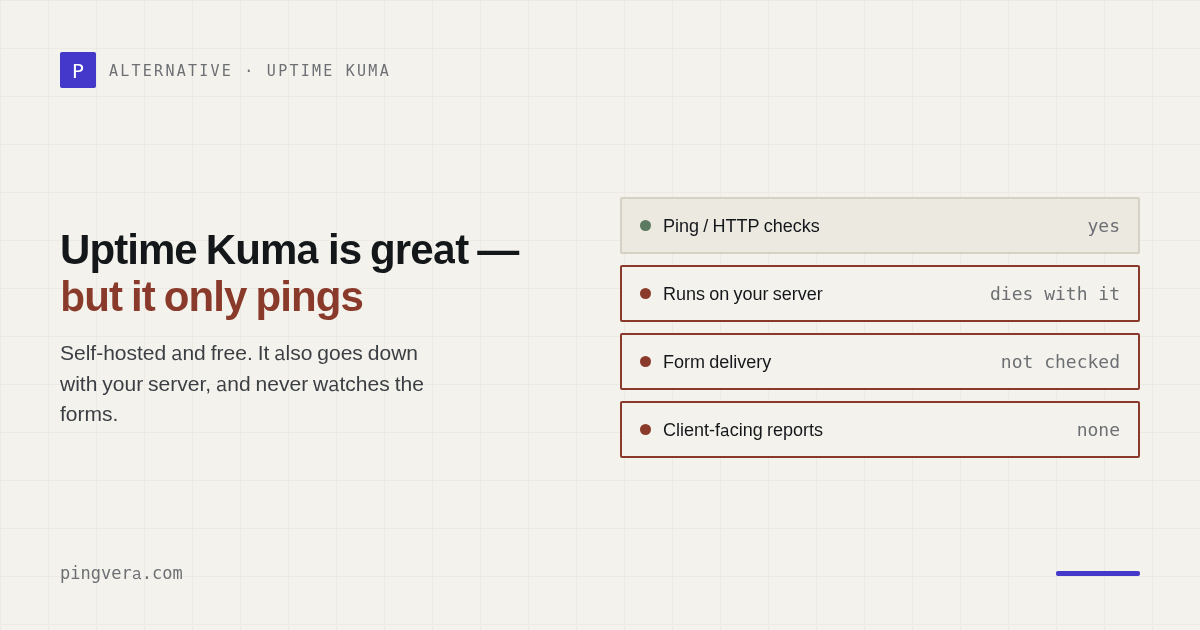
Ask any self-hoster for a monitoring tool and you'll hear the same answer: Uptime Kuma. It's genuinely great — clean, reliable, free, and it took over r/selfhosted and r/msp for good reason. If you run a homelab or a couple of your own projects, stop reading and go install it. But if you look after client sites for a living, "it's up" is only a slice of the job — and Kuma, by design, checks exactly that slice. Here's what it leaves uncovered, and how to close the gaps.
What Kuma does brilliantly
Credit where it's due. Uptime Kuma nails the core loop: HTTP/TCP/ping/DNS checks, a tidy dashboard, notifications to just about any channel, a public status page, and a price of zero if you have a $5 VPS to run it on. For up/down monitoring it's as good as anything paid. The question isn't whether Kuma is good — it's whether up/down is all you need.
Gap 1 — one vantage point means false alarms
A single Kuma instance checks from one place: its own host. So when the network between that host and your client's site hiccups — a routing blip, a noisy neighbour, a transient DNS issue — Kuma reports the site as down even though real visitors are getting through fine. You get an "offline" alert when the site isn't offline.
People feel this. The common workaround is to run two Kuma instances against the same targets and only believe an outage when both scream. That works, but now you're maintaining two monitors to trust one alert. The cleaner fix is multi-region confirmation: a check runs from several locations and only raises an incident when a quorum agrees the site is really down. If it's alive from other regions, it's a network issue — not a page for you at 2am.
Gap 2 — the domain renewal everyone forgets
This one comes up again and again, and it's not a knock on Kuma specifically — it's a gap across most uptime tools. Certificate expiry, yes; but domain registration expiry — the renewal date that quietly lapses and takes the whole site down with it — isn't something a ping monitor watches. And a domain lapse is the worst kind of outage: nothing is "broken," the site simply stops existing, email included, and getting it back can take days.
For a portfolio of client domains you want a dedicated domain-expiry check with a configurable lead time — an alert weeks ahead, not a red screen on the day it dies.
Gap 3 — "up" doesn't mean the business works
A ping proves the server responded with a 200. It doesn't prove the contact form still
delivers leads, that the checkout completes, that a key page hasn't
been silently replaced, or that the site didn't quietly get a noindex and fall out
of search. All of those can happen while every uptime monitor stays reassuringly green — and
you find out when the client asks why they got no enquiries this month.
Closing this gap means synthetic checks that actually submit the form and assert it went through, keyword checks on critical pages, and de-indexing / defacement detection. That's a different category from up/down, and it's the category that protects your client's revenue.
Gap 4 — nothing to show the client
Kuma's status page is fine for a homelab. But client work runs on trust, and trust is easier to keep when you can show it. A status page on the client's own domain, and a monthly report with your logo showing uptime and what you caught, turns invisible maintenance into visible value — the difference between a retainer that feels like "paying for air" and one the client renews without thinking.
So: keep Kuma, or switch?
Honestly, it depends on how much of the above you need and how much plumbing you enjoy.
- Stay on Kuma if you mostly need up/down on your own projects and don't mind running the VPS, a second instance for sanity-checking, and separate tools for domain expiry, form testing, and client reports.
- Reach for a managed tool built for client portfolios if you'd rather have multi-region confirmation, domain + SSL expiry, form/checkout delivery, and white-label reports in one place — without hosting or babysitting anything.
That second description is exactly what we built Pingvera for: monitoring for studios, agencies and freelancers that goes past the ping — with alerts you can actually trust and a report you can hand to the client. Nothing to self-host, free for up to 5 sites.
FAQ
Does Uptime Kuma check domain expiry?
Not in a portfolio-friendly way. It focuses on up/down and per-monitor certificate checks; domain registration expiry — the renewal people forget — is a common gap. If you manage many client domains, you want a dedicated domain-expiry alert with a configurable lead time.
Does Uptime Kuma check from multiple regions?
By default one instance checks from one place — its own host. A network blip between that host and the target can raise an "offline" alert when the site is fine. The usual workaround is two instances; multi-region confirmation (a quorum) solves it without the duplication.
Is Uptime Kuma enough for a web agency?
For simple up/down on your own projects, it's excellent and free. For client work you usually also need domain-expiry alerts, multi-region confirmation, a check that forms and checkout deliver, and a white-label status page or report — either bolted on, or in one managed tool.
Everything past the ping — in one place
Multi-region confirmation, domain + SSL expiry, form and checkout delivery, and a white-label report for the client. Nothing to self-host. Free for up to 5 sites.
Start free — up to 5 sitesRead also: Pingvera vs Uptime Kuma: the full comparison, Your client's site went down: know before they call and The domain wasn't renewed — and the site vanished.
Read next: 200 OK but Hacked: What Uptime Monitoring Misses · Malicious Redirect Monitoring for Client Websites · 70 false alerts a day: why uptime monitors cry wolf, and what the fix… · WordPress cron not running: the scheduler that only works when someone… · Check availability from several regions.