
Your client's site went down: how to know before they call you
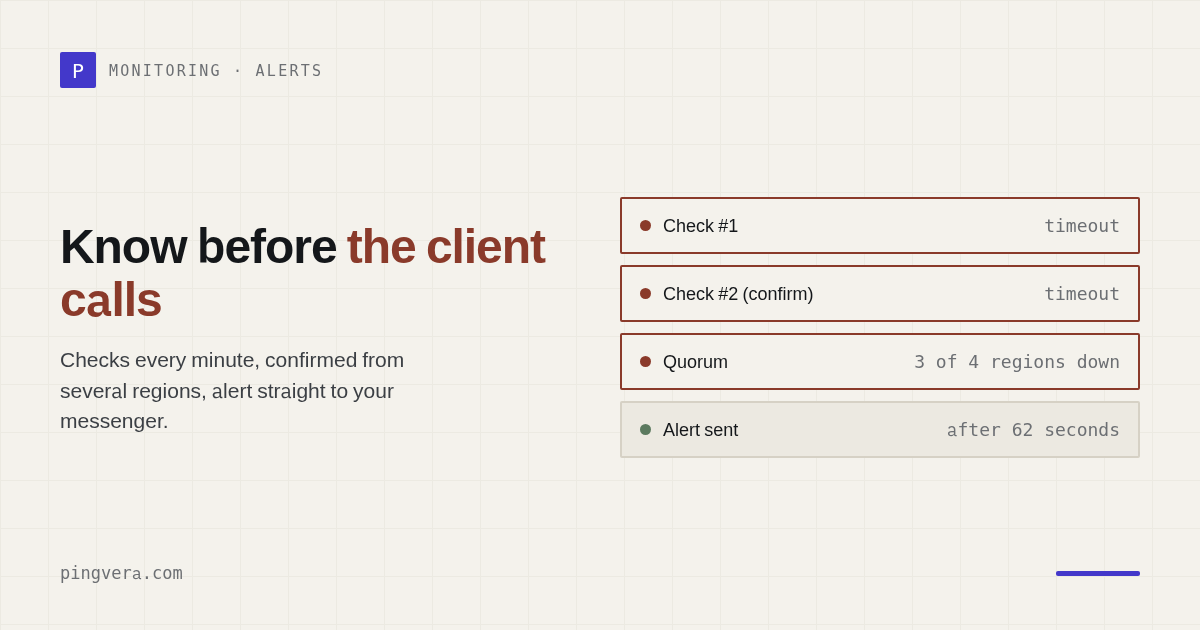
Every minute of downtime means lost leads and orders for your client — and a dent in your reputation as their contractor. The worst version is finding out about the outage from the client themselves. Let's look at how to catch outages in minutes rather than hours, without drowning in false alarms along the way.
“The site is down” is not one single state
Before you can catch an outage, it helps to understand that “not working” comes in very different flavors — and a bare “server ping” misses half of them:
- Complete unavailability — timeout, connection error, a 5xx from the server.
- The “white screen” — the server returns 200 but the page is empty (a PHP fatal, a broken deploy). Technically “up”, practically not.
- Hosting or database failure — the site loads, but with no data or with a DB error.
- An SSL problem — the certificate expired or became invalid, and browsers block the way in.
- A DNS failure or an unrenewed domain — the site doesn't resolve at all.
- Degradation — the site is alive but takes 15 seconds to load; to a visitor that's almost the same as down.
Why you're the last to know
Three typical reasons you end up “hearing it from the client”:
- You check by hand, irregularly. Nobody checks at night or on weekends.
- You check from a single location. “It opens for me” doesn't mean it opens for everyone — the problem may sit with the hosting or the network.
- You check the wrong thing. “The server responds to ping” ≠ “the site serves the right page”.
How to catch an outage in minutes
External checks on a short interval
The site should be polled by an external system — from the outside, like a regular visitor, and continuously. Then you don't depend on your own computer or on “well, it opens for me”. For critical sites it's also worth checking individual ports (TCP) and DNS records.
Check the right signal
The minimum is a 2xx status code and response time broken down by request phase. Better still — the presence of key content on the page, to catch the “white screen” and content tampering. SSL and domain expiry deserve their own watch: their “outages” are predictable and can be prevented ahead of time.
An instant channel straight to you
Detection is worthless if the signal never reaches you. The alert has to land where you'll see it immediately — in Telegram or your email inbox. Then the gap between the outage and your reaction is minutes, not “whenever the client calls”.
Put a site under watch in a couple of minutes
Pingvera polls the site externally, checks the status code, content, SSL and domain, and sends an alert to Telegram or email the moment something breaks. Free for up to 5 sites.
Start free — up to 5 sitesAlerts you can trust — not the boy who cried wolf
The number one reason people abandon monitoring is false alarms. A single network blip at 3 a.m. wakes you for nothing, and a week later you've stopped reacting to alerts altogether. Good monitoring confirms the problem before it wakes anyone:
- Confirmation before the alarm — an alert only after several consecutive failed checks, not after a single blip.
- Flapping suppression — if a monitor keeps bouncing up and down, its signal is muted so it doesn't flood you with notifications.
- Maintenance windows — while you're updating the site, its alerts can be switched off in advance.
- Auto-resolve and a timeline — when the site comes back, the incident closes itself, and the history keeps a record of when it went down and when it recovered.
How fast depends on the interval
Reaction time is the check interval multiplied by the number of failures required before the alarm. Pingvera checks every 1 minute on every plan, including the free one — enough to know about an outage before virtually any client does. Pick the sensitivity to match how critical the site is: an online store needs an alert after the first confirmed minute, a brochure site can afford a gentler threshold.
Set it up once — across all your clients
Create an availability check for every client site, add SSL and domain-expiry monitoring — and keep it all in one dashboard, grouped by client. Then an outage on any of your dozens of sites arrives as an alert to you, and at the end of the month the client sees their uptime in a branded report.
Frequently asked questions
How fast does monitoring notice a site is down?
Speed depends on the check interval. Pingvera checks every 1 minute on every plan, including the free one. Actual reaction time is the interval multiplied by the number of consecutive failed checks required before the alert fires.
What if the site isn't down, just slow?
That's a separate state — degradation. Pingvera measures response time and can mark a monitor as degraded based on a latency threshold, without waiting for a full outage.
How do I avoid false alarms at night?
An alert fires only after several consecutive failed checks, flapping monitors are suppressed, and for planned work you can schedule a maintenance window so no alerts are sent.
Be the first to know about the outage
External availability, SSL and domain checks + alerts in Telegram and email — without false alarms. At the end of the month, a white-label uptime report for your client.
Start free — up to 5 sitesRead next: Client Website Down: Email & Status Templates · WooCommerce checkout monitoring: catch a broken checkout before the… · How to check if a website is really down · How to Manage Multiple Client Websites · Check availability from several regions.