
Update PHP on WordPress: A WooCommerce Store Plan Before PHP 8.1 Becomes Required
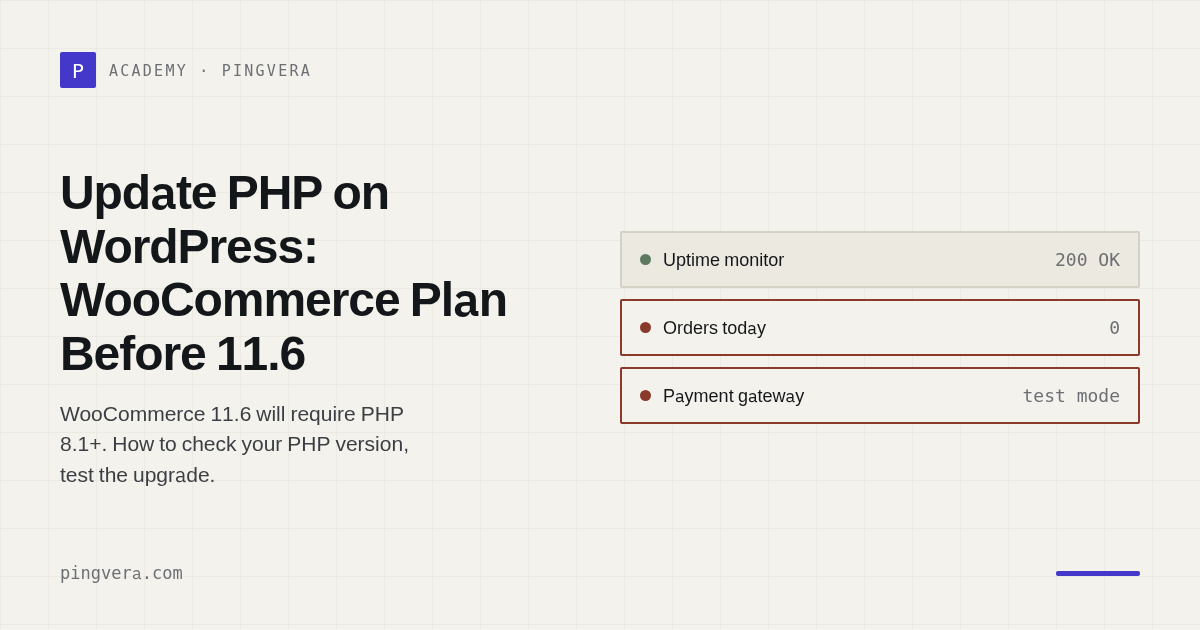
If your WooCommerce store runs on PHP 7.4 or 8.0, plan the PHP update now. WooCommerce announced on 29 September 2026 that version 11.6, planned for February 2027, will require PHP 8.1 or newer. WordPress normally blocks a plugin update when the server does not meet the plugin's declared PHP requirement, so a store left on old PHP stays on WooCommerce 11.5 and stops receiving later fixes. Nothing on the storefront tells you this has happened.
The safe order is to check the version, update plugins and themes, test the new PHP version on a staging copy, switch production in a quiet window, and watch checkout and orders for the next few days. The calendar makes timing awkward. For most stores, the best windows are the next two to three weeks, before a Black Friday change freeze, or January, after peak and before 11.6 ships. Aim for PHP 8.3 or newer. PHP 8.1, the new minimum, already lost upstream security support on 31 December 2025.
At a glance
- WooCommerce 11.6 (planned February 2027) requires PHP 8.1+. WooCommerce 11.5 is the last version that runs on PHP 7.4 and 8.0.
- WooCommerce 11.3 will show a dismissible admin notice on PHP 7.4 and 8.0. A notice that someone dismisses fixes nothing.
- WooCommerce and WordPress.org both recommend PHP 8.3 or newer. PHP 8.2 reaches end of security support on 31 December 2026.
- Test on staging with your real payment gateway, shipping, tax and email plugins, then place a test order.
- Have the rollback ready before you switch: a tested backup and the hosting panel setting that restores the old PHP version.
- Avoid changing PHP in the weeks of your sales peak. Either finish before your freeze or schedule it for January.
Why it matters now
The WooCommerce developer blog published the requirement on 29 September 2026. The key points from that post, as of October 2026:
- WooCommerce 11.6, planned for February 2027, will require PHP 8.1 or newer.
- WooCommerce 11.3 adds a dismissible admin notice for stores on PHP 7.4 or 8.0. Version 11.3 itself still works on those versions.
- Stores can keep updating through 11.5 while they prepare.
- WordPress normally prevents an update to a plugin version if the server does not meet its declared PHP requirement.
- WooCommerce's own tracking data shows about 7% of tracked stores on PHP 7.4 and 2% on PHP 8.0.
Two more dates sit around the same window. According to php.net, PHP 8.1 reached end of life on 31 December 2025, and PHP 8.2 security support ends on 31 December 2026. A store that moves from 8.0 to 8.1 meets WooCommerce's minimum but lands on a branch that no longer gets security releases. A store on 8.2 has its own deadline in eleven weeks. WordPress.org's requirements page recommends PHP 8.3 or greater, and the WordPress hosting handbook recommends PHP 8.4 or later for production.
WooCommerce 11.2.0 shipped on 7 October 2026 and 11.2.1 followed two days later to fix two checkout regressions: classic checkout could be blocked on stores that remove address fields through the woocommerce_billing_fields or woocommerce_default_address_fields filters, and the checkout block rejected valid postcodes for Argentina and a few other countries. Neither bug was PHP-related. Both show that checkout can break after a routine platform change while the site stays up, and a PHP upgrade is a bigger change than a dot release.
Step-by-step: update PHP on a WooCommerce store
- Find your current version. In WordPress go to Tools > Site Health > Info > Server, or open WooCommerce > Status and read the PHP version in the server environment section. Write it down together with the hosting plan and who controls PHP settings (you, the agency or the host).
- Pick a target. Choose PHP 8.3 or 8.4 if your host offers them. Going to 8.1 only satisfies WooCommerce's minimum, and you will have to repeat the work soon.
- Update the software first. WordPress.org's Update PHP guide puts this before the PHP change: update WordPress core, themes and plugins, then confirm the site still works. Old plugin versions cause most PHP upgrade failures.
- List the plugins that touch money. Payment gateways, subscriptions, shipping and tax calculators, invoice/PDF generators, ERP or inventory connectors, and custom code in the theme or a site plugin. These get the closest testing. Check each vendor's changelog or support page for the PHP versions they state as supported.
- Make a backup you have restored at least once, so you know the rollback works before you need it. See how to test a backup restore without touching production.
- Clone to staging and switch staging to the target PHP version. Most hosts let you set PHP per site. Enable error logging (
WP_DEBUG_LOG) on staging only. - Run the test plan below. A static compatibility scanner can point at suspect code, but it cannot run your checkout. Place real test orders.
- Read the PHP error log after testing. Fatal errors stop pages from loading. Deprecation warnings point to code that will break on a later PHP version, so send them to the plugin vendor or your developer.
- Schedule the production switch. Pick a low-traffic hour, outside a campaign, with the person who can roll back available for the next few hours.
- Switch production and repeat the short version of the test plan. Then keep watching orders, failed payments and order emails for 48 to 72 hours, because some failures only show up on paths your test did not cover, such as a renewal or a webhook from the payment provider.
- If something breaks, roll back. WordPress.org's guidance is to switch the PHP version back in the hosting panel, or ask the host to revert it, and restore the backup if needed.
Timing around peak season
If your peak is Black Friday and Cyber Monday (27 and 30 November in 2026), many teams start a change freeze in early or mid November. A PHP upgrade that passes staging this month can go live before the freeze. If staging turns up broken plugins that need vendor fixes, do not rush it into November. WooCommerce 11.3 through 11.5 still run on PHP 7.4 and 8.0, so you can finish peak on current WooCommerce and do the switch in January. Our Black Friday code freeze guide covers which security patches still go in during a freeze.
Risk table
| Risk | Owner | Check | Frequency |
|---|---|---|---|
| Store stuck on WooCommerce 11.5 after 11.6 ships | Store owner or agency | PHP version in WooCommerce > Status | Monthly, and before each WooCommerce release |
| Payment gateway fails on new PHP | Developer | Test order with each enabled payment method on staging | Each PHP or gateway update |
| Fatal error on checkout or account pages | Developer | PHP error log after staging tests and after go-live | After every change, then daily for 3 days |
| Order or password reset emails stop | Store operator | Place an order and request a reset, confirm both emails arrive | After the switch, then weekly |
| Scheduled tasks (renewals, stock sync) stop | Developer | Scheduled actions list in WooCommerce > Status > Scheduled Actions shows no new failures | Daily for a week after the switch |
| Rollback takes too long | Agency or host | Rollback steps written down and backup restore tested | Before the switch |
| PHP 8.2 security support ends 31 Dec 2026 | Store owner or agency | Current branch against php.net supported versions | Quarterly |
Copyable test plan
Copy this into your ticket or maintenance log and tick it on staging, then again (short version marked with *) on production.
PHP UPGRADE TEST PLAN
Site: ____________   From PHP: ____  To PHP: ____   Date: ________
Tester: __________   Rollback owner: __________   Backup restored on: ______

Before
[ ] WordPress core, theme and all plugins updated on staging
[ ] Plugin list exported (name + version)
[ ] Error logging enabled on staging only

Storefront
[ ] * Home, category, product, search pages load without errors
[ ] * Add to cart, change quantity, apply a coupon
[ ] Variable product: select options, price and stock update

Checkout
[ ] * Guest checkout with each enabled payment method (sandbox/test mode)
[ ] Logged-in checkout with saved address
[ ] Shipping rates and taxes match the current production values
[ ] Payment failure path: declined test card shows a clear error
[ ] * Order appears in WooCommerce > Orders with the correct status

Email and accounts
[ ] * Customer order confirmation received
[ ] Admin new-order email received
[ ] Account registration and password reset emails received

Background work
[ ] Scheduled Actions: no new failed actions after 1 hour
[ ] Subscription renewal (if used) processed in test mode
[ ] Payment provider webhook received and order status updated
[ ] Integrations (ERP, inventory, accounting) received the test order

Admin
[ ] Edit a product, save, check front end
[ ] Generate an invoice or packing slip (if used)

After
[ ] PHP error log reviewed: no fatal errors; deprecations sent to vendors
[ ] Result: GO / NO-GO   Notes: ______________________________
Worked scenario (illustrative)
A small homeware store runs WordPress and WooCommerce on PHP 8.0 at a shared host. The agency that maintains it clones the site to staging on 20 October and switches staging to PHP 8.3. The storefront, cart and card payments pass. The PDF invoice plugin throws a fatal error when the admin opens an order, because the store runs a version from 2022 and the vendor fixed PHP 8 issues in a later release. The agency updates the plugin on staging, re-runs the plan, and the error log shows only two deprecation warnings from a small custom snippet, which the developer fixes the same day.
Production switches on a Tuesday morning, the store's quietest period. The agency places one real low-value order with a card, refunds it, and checks the confirmation email. On Thursday the operator notices no stock updates reached the warehouse system since Tuesday. The connector's scheduled action had failed silently on the new PHP. Updating the connector fixes it, and the store goes into its November freeze on PHP 8.3 with a list of what broke and how it was fixed. The figures and dates in this scenario are invented for illustration.
Common mistakes
- Dismissing the WooCommerce 11.3 notice and forgetting it. The store then stops updating in February 2027 without any visible error.
- Upgrading only to PHP 8.1. It meets the minimum but is already end of life upstream.
- Changing PHP and updating ten plugins on production in the same hour. When something breaks, you cannot tell which change caused it.
- Testing only that the homepage loads. Most PHP failures in stores show up in checkout, admin screens, emails or background jobs.
- Treating the host's "compatible" label as proof. Hosts can confirm the PHP build works. They cannot confirm your plugin mix does.
- Switching during a campaign or the week of your peak.
Limitations: no test plan covers every path. Rare payment methods, refunds through the provider dashboard and integrations that run weekly can fail days later. Plan monitoring for the week after the switch as part of the change, and keep the old PHP version available on the host until that week passes.
FAQ
Will my store stop working when WooCommerce 11.6 is released?
No. A store on PHP 7.4 or 8.0 keeps running on WooCommerce 11.5. WordPress normally blocks the update to 11.6, so the store stops receiving new WooCommerce versions and the fixes they contain.
Which PHP version should I choose?
PHP 8.3 or newer, if your plugins pass testing on it. WooCommerce and WordPress.org recommend 8.3+, the WordPress hosting handbook recommends 8.4+ for production, and php.net lists 8.3 with security support until 31 December 2027.
Can I roll back if checkout breaks after the PHP update?
Yes, if you prepared for it. Most hosting panels let you switch the PHP version back per site, or the host can do it. Restore the backup if data changed in a broken state. Write the rollback steps down before you switch.
Sources
- WooCommerce developer blog, "New Requirement for WooCommerce 11.6: PHP 8.1+" (29 September 2026): https://developer.woocommerce.com/?p=8771554
- WooCommerce 11.2.1 release notes (9 October 2026): https://developer.woocommerce.com/2026/10/09/woocommerce-11-2-1-release-notes/
- WooCommerce 11.2.0 release notes (7 October 2026): https://developer.woocommerce.com/2026/10/07/woocommerce-11-2-0-release-notes/
- WooCommerce documentation, Update PHP and WordPress: https://woocommerce.com/document/update-php-wordpress/
- WordPress.org, Update PHP: https://wordpress.org/support/update-php/
- WordPress.org, Requirements: https://wordpress.org/about/requirements/
- WordPress Hosting Handbook, Server environment: https://make.wordpress.org/hosting/handbook/server-environment/
- PHP, Supported versions: https://www.php.net/supported-versions.php
- PHP, Unsupported branches: https://www.php.net/eol.php
Last reviewed: 2026-10-15
The week after a PHP switch is when a store can stay online while orders slow or stop. Pingvera's WordPress connector sends WooCommerce order events (created and failed) as they happen, and the anomaly detector alerts when order flow drops below its hourly baseline while the site still responds. Order events, deploys and incidents share one timeline, so you can compare when failures started with when the change went live. More on that in catching a WooCommerce store that stopped selling and WooCommerce checkout monitoring.
Know about problems before your customers do
Pingvera watches whether an online business actually works — uptime, checkout, orders, domain, SSL and server — and alerts you in Telegram, email or a webhook before a customer has to tell you.
Start freeRead next: WordPress Version Checker: Core, Plugins, WooCommerce · How much to charge for website maintenance — and what to actually put… · WooCommerce failed orders: what a spike, a stall and a silence each mean · WordPress cron not running: the scheduler that only works when someone… · Check a WordPress site.