
WooCommerce checkout monitoring: how to catch a dead checkout before the client calls
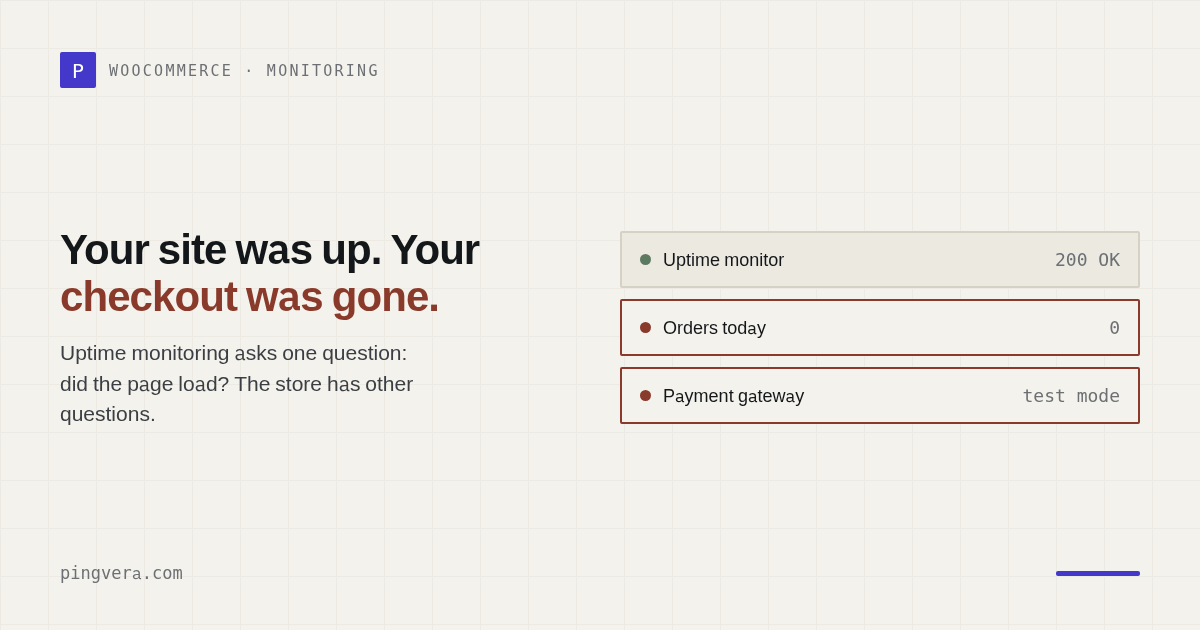
Here is a review that should be printed and pinned above every agency's monitor. An agency owner, writing about a WordPress management tool: "one of my site's clients was wondering why he was getting no response to a recent sale he announced on his site — and when he went to go check, he realized his store was gone completely! That's because the WooCommerce plugin had been deactivated somehow." The site was up the whole time. Uptime monitoring had nothing to report. The client found out from his own silence.
The failure mode uptime monitoring cannot see
Uptime monitoring answers exactly one question: did the page load? That question has almost nothing to do with whether the store works.
Five ways to break a WooCommerce store while it keeps returning a cheerful 200 OK:
- The payment gateway is stuck in test mode. Somebody flipped Stripe or PayPal into sandbox to debug something, verified it worked, and never flipped it back. Checkout completes. Money does not move.
- An update broke the checkout page. A plugin or theme update takes out the checkout template. The homepage — the page your monitor watches — is perfectly fine.
- Failed orders are spiking. Orders get created and then die at payment. Individually invisible; in aggregate, it means the gateway is broken.
- The server-side order pipeline is broken. A plugin conflict means orders never get created, or hang in a limbo status. The storefront looks great.
- Orders simply stopped. The most insidious one: nothing is technically "broken", the flow just went quiet. Any of the four above will do it — as will an ad campaign that died.
Notice what all five have in common: the front page is fine. This is the same class of failure as a contact form that silently stops delivering leads — the site works, the business does not.
Three cheap signals from order statistics
The naive approach is to alert when there are no orders. The naive result is an alert every night for a store that does two orders a week. So every threshold has to be normalised against that store's own baseline, never against an absolute number.
Failed-order spike
Compare the share of failed orders in the last 24 hours against the store's own seven-day norm:
failed_24h >= 3
AND (failed_24h / total_24h) > 3 × (failed_7d / total_7d)
  → critical: the gateway is probably broken
Two safety catches. An absolute floor (three failures is the minimum before statistics mean anything) and a relative one (three times the store's own rate). A store that always has some failed orders — cash on delivery, aggressive fraud rules — lives with its own baseline and never catches fire.
Order drought
Zero orders in 24 hours is a signal only if this store normally takes orders:
total_24h == 0
AND average_daily_orders_over_14_days >= 3
  → warning: this store usually sells, today it didn't
One engineering note that matters at scale: count orders with WooCommerce's paginated query and read the total, rather than pulling ID lists into memory. On a store with a hundred thousand orders, the difference between "fetch a number" and "fetch an array" is the difference between a cron job that runs and a cron job that dies on memory limits.
Gateway stuck in test mode
The only check where we had to descend into vendor specifics: WooCommerce has no universal "what mode is this gateway in" API. So walk the enabled gateways, and for a known allowlist of live providers, look at their standard sandbox settings keys.
Use an allowlist of gateway IDs, not a blind search across all plugin settings for anything named sandbox — the first unrelated plugin with a similarly named option will hand you a false critical. And the settings values themselves never leave the site: only the verdict and the gateway ID go out.
Check any site in one click
Availability from several locations in Europe and the US, SSL certificate, domain expiry and WordPress health. Free, no sign-up.
Check a siteThe smoke run: prove the pipeline still works
Statistics catch failures after the fact — a few orders die, then you notice. An active check is better, provided it leaves no trace in a live store.
Once a day, run a service order through the real WooCommerce API: create a hidden virtual product, create an order, add the product, calculate totals, walk it through statuses, then delete everything.
$step = 'create_product';
$product = new WC_Product_Simple();
$product->set_catalog_visibility('hidden');  // not in catalog or search
$product->set_virtual(true);                 // no shipping, no stock
$product->set_manage_stock(false);
$product_id = $product->save();

$step = 'create_order';
$order = wc_create_order();
$order->add_product($product, 1);
$order->calculate_totals();
$order->update_status('pending');
$order->update_status('cancelled');
// ...then delete both, whatever happens
That $step variable is not decoration. When the pipeline breaks, the valuable information is not that it broke but where: "product wouldn't save" and "totals won't calculate" send a developer to entirely different places.
And a success produces no finding at all. Absence of a signal is the health signal. Diagnostics that emit green records nobody reads are diagnostics nobody reads.
Two traps we sat on so you don't have to
WooCommerce emails are not silenced the obvious way
Your service order walks through statuses, and WooCommerce dutifully emails the store owner and the "customer". Run that daily on a live store and the owner gets a "New order" and an "Order cancelled" every single morning from a customer who does not exist.
The obvious fix is the woocommerce_email_classes filter: return an empty array, no emails. It does not work. WC_Emails::init_transactional_emails() hooks each email class onto order events back on init — by the time your cron job runs, the hooks are already attached, and swapping the class list afterwards changes nothing.
You have to hit the point WooCommerce checks immediately before sending — WC_Email::is_enabled(), which consults the woocommerce_email_enabled_{id} filter:
foreach (WC()->mailer()->get_emails() as $id => $email) {
    add_filter('woocommerce_email_enabled_' . $id, '__return_false', 9999);
}
add_filter('pre_wp_mail', '__return_true', 9999); // core-level safety net
The second filter is a WordPress-core backstop: if anything other than WooCommerce tries to send during the run — a notification plugin, a CRM integration — it still will not go out. Both filters come off afterwards, so the run cannot swallow a real customer's email.
finally does not save you from a fatal
try/finally guarantees cleanup on an exception. A PHP fatal — memory exhaustion, an error in somebody else's plugin hooked onto woocommerce_order_status_changed — is not an exception, and finally never runs. The result: a service product and an abandoned order left sitting in a client's store. Quietly corrupting a client's data is the worst thing a diagnostic tool can do.
So on top of finally, register a shutdown function that cleans up whatever was created. And write the IDs to state immediately after each entity is created, not at the end of the step — a fatal between "created" and "recorded the ID" leaves an orphan you will never know about.
What sees what
| Failure | Uptime monitoring | Inside the store |
|---|---|---|
| Site or host is down | Yes — the only one that will notice | No: it is down with the site |
| SSL or domain expired | Yes | No |
| Gateway left in test mode | No | Yes |
| Failed orders spiking | No | Yes |
| Order flow stopped | No | Yes |
| Checkout page broken by an update | Only if you watch that exact URL for content | Yes |
| Order pipeline broken server-side | No | Yes — smoke run |
| Cart JavaScript crashed in the browser | No | No — needs a browser run |
Note the last row. We are not claiming the inside layer sees everything: it does not see what happens only in the customer's browser — a crashed cart script, a payment iframe that never loads, a stale page served from a CDN. That is what a browser-driven synthetic run is for, and it costs an order of magnitude more: a real browser on every probe, fragile per-store scripts, test orders in someone's live database.
And the inside layer has one honest blind spot of its own: if the site goes down, nobody is left inside to complain. That is what external monitoring is for. Two layers, covering each other's gaps — that is the only honest way to answer "is the store working?".
Why this matters more than uptime
An outage is loud. Everyone notices, everyone panics, someone fixes it, the client forgives you — outages happen. A broken checkout is silent. The store keeps taking visitors, the ad budget keeps burning, and the first person to notice is the owner looking at a revenue report a week later. Then the conversation is not about a plugin conflict. It is about a week of lost sales, and about why you were watching the homepage instead of the money.
FAQ
Why doesn't uptime monitoring catch a broken checkout?
Because it asks one question: did the page load? A store with a dead payment gateway, a checkout page broken by an update, or a gateway left in test mode still serves pages perfectly. Status 200, valid certificate, fast response — and not a single order goes through.
What should you actually monitor in a WooCommerce store?
Four things beyond availability: the order flow itself, the share of failed orders against the store's own baseline, whether a live gateway is sitting in test mode, and whether the checkout page still renders. Plus a periodic smoke run of the server-side order pipeline.
How do you test the pipeline without leaving traces in a live store?
Create a hidden virtual product with stock management off, create an order through the WooCommerce API, calculate totals, walk it through statuses, then delete both. Suppress all WooCommerce emails for the duration of the run, and make cleanup happen even if a step fails.
Do I need a headless browser to monitor checkout?
Not for most failures. A browser run catches front-end breakage — a crashed cart script, a payment iframe that never loads — but it is expensive and fragile. The server-side pipeline, order statistics and gateway configuration cover the majority of real failures for the cost of one PHP process. The layers complement each other.
Watch the order, not the homepage
Pingvera monitors WooCommerce from inside — order flow, failed-order spikes, gateways in test mode, checkout availability and a daily pipeline smoke run — alongside external checks from several regions. Free for up to 5 sites.
Start freeRead next: Broken Link Monitoring Across Client Websites · Client Website Monitoring Policy Template · Malicious Redirect Monitoring for Client Websites · Know your client's site is down before they call · Check a site for broken links.