
ManageWP alternative: what to use when the dashboard says "connected" and it isn't
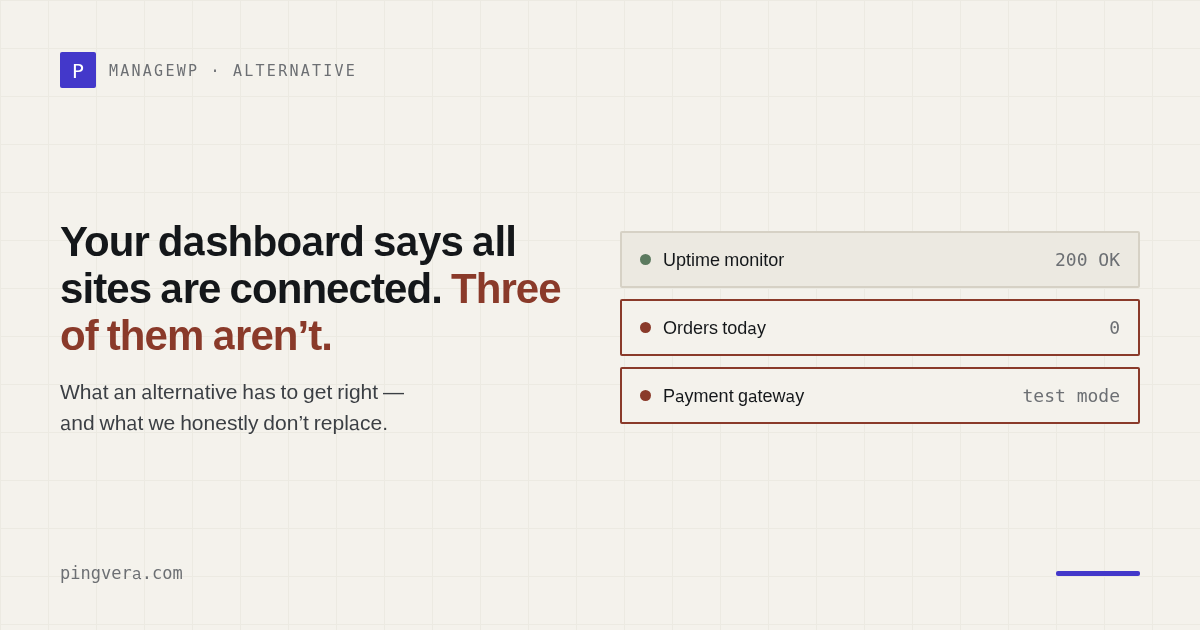
Most "alternative" pages are written by people who never used the product they are attacking. So let's do this differently: no adjectives, just what agencies are publicly saying, why those specific failures happen, and an honest account of what we do and do not replace. Spoiler for the impatient: we are not a drop-in replacement for ManageWP, and if a competitor tells you they are, ask them where their backups live.
What people actually complain about
1. Sites disconnect, and the dashboard keeps showing green
This is the complaint, not one of several. It appears again and again in public reviews:
"Sites are always disconnected. Can't rely on it. Be carefull. You think everything is all right but in fact your sites are disconnected so not responding."WordPress.org review, 1★
"I am having a recurring issue where some of my sites keep getting disconnected, and when I check the managewp plugin is disabled… it is not a user disabling the plugin, I am 100% sure."WordPress.org support forum
An agency with over a hundred sites reports the same thing, and the thread has been alive for years — long enough that people are writing cron jobs to reactivate the plugin behind the platform's back.
Notice what the first quote actually describes. The problem is not that a site disconnected. The problem is that you believed you were covered and you were not. A monitoring tool that fails silently is worse than no monitoring, because it also sells you confidence.
2. Client reports work "randomly"
"Support tickets takes 3-4 days before getting answers… Generating pdf reports to customers is randomly working."WordPress.org review, 1★ — agency with 100+ sites, 6-year customer
Read that phrase again: randomly working. Client reporting is the thing agencies buy these platforms for — it is the artefact that justifies the retainer. If it works four months out of five, you cannot build a service promise on it.
This is worth stating clearly because it corrected our own assumptions. We used to think the industry complaint about reports was "too long, clients don't read them". It isn't. The complaint is that reports break: PDFs that arrive damaged, reports with empty data, reports that stop sending. Length is a design preference. A report that doesn't arrive is a broken promise to your client.
3. Support that answers in days — or never
"I had 1 site that wouldn't connect and i waited over 18 months for support to reply, then had to give up… I have several tickets in this state, waiting on a reply for over 1 year."WordPress.org support forum
"Support has been ghosting me for over a month. I've been a ManageWP customer for years. We have a lot of clients on their paid services."WordPress.org review, 1★
We are a small team, so we are not going to make grand claims about support SLAs we haven't proven. But we will say the obvious: when a platform's own users are writing workarounds because the vendor said the bug affects "only a small number of people", the product has stopped being maintained in any meaningful sense.
4. Updates that break the site you were protecting
"The update was apparently successful but when I tried accessing my site directly after that, I encountered a code 500 error… it appears it corrupted all my installed plugins, so hereon, I don't trust it."WordPress.org review, 2★
This one deserves a design comment rather than a jab. A tool that can push changes into a client's site can also break it. That risk is inherent to remote management, and it is exactly why our architecture refuses to take it: we never execute anything on a client's server. The plugin collects diagnostics and sends them out; we have no channel to run code, update plugins or touch files. It is not a missing feature — it is a boundary we designed in, so that the worst thing our tool can do to your client's site is nothing at all.
See what your client's site looks like from outside
Availability from several locations in Europe and the US, SSL, domain expiry and WordPress health — one click, no sign-up.
Check a siteWhat an alternative actually has to get right
Strip away the feature lists and the complaints reduce to three requirements.
Monitoring that doesn't depend on a plugin staying alive
If your monitoring lives inside a plugin on the client's site, then a deactivated plugin, a broken update or a dead host takes your monitoring with it — precisely when you need it. External probing has no such failure mode: the prober sits outside, and a site that stops answering is the signal.
Our WordPress plugin exists too, but it does the opposite job: it sees what external checks cannot — a stalled WP-Cron, modified core files, vulnerable plugins. If it goes silent, the external layer is still watching. Two layers, and the failure of one does not blind the other.
Alerts you can believe
An alert nobody trusts is not a cheaper product, it is a broken one. We confirm from several regions before opening an incident — one probe having a bad ten seconds is not an outage — and noise suppression is on for every plan, including the free one, rather than sold as an upgrade.
Reports that always send, and always have data
We took the "randomly working" complaint literally when we rebuilt reporting. When you create a client report, the data is frozen into an immutable snapshot at that moment. The link the client opens next month renders from that snapshot, not from a live recalculation — so the numbers cannot drift, and a report cannot arrive empty because something upstream hiccupped. Delivery has retries and a visible history: you can see whether it sent, failed, or is still queued, instead of finding out from the client that nothing arrived.
The honest part: what we do not replace
ManageWP is a management platform. We are not.
| What you use ManageWP for | Pingvera |
|---|---|
| Backups and restores | No. You need this from somewhere else. |
| Bulk plugin/theme/core updates | No — and never will be. We do not execute anything on client servers. |
| Malware scanning and firewall | No. We detect signs of compromise (modified core files, suspicious redirects, unexpected content), but we are not a security suite. |
| Uptime monitoring | Yes — multi-region, with quorum confirmation |
| Client reports | Yes — white-label, immutable snapshot, delivery history |
| Form delivery / lead monitoring | Yes — form to inbox, end to end |
| WooCommerce order monitoring | Yes — order flow, failed-order spikes, gateway in test mode |
| WordPress health from inside | Yes — cron, core integrity, vulnerable plugins, mail |
| Status pages for clients | Yes — white-label, custom domain |
| Roles and team access | Yes |
So the honest recommendation is not "switch". It is: keep a maintenance platform for backups and updates, and move monitoring and client reporting to a stack that is not the same tool. One tool changes the system; the other verifies the result from outside. When they are the same tool, nobody is checking the checker — which is exactly how you end up with a dashboard confidently showing green over a site that has been disconnected for a week.
If you're evaluating right now
Three questions worth asking any candidate, ManageWP included:
- If the plugin on my client's site dies, does your monitoring die with it? If yes, your monitoring is only as reliable as the least reliable site you manage.
- How many locations confirm an outage before you alert me? If the answer is one, budget for false alarms — and for the day your team stops reading them.
- What does a client report do when the data pipeline fails? Arrives empty, doesn't arrive, or refuses to be created? Only the third answer is safe.
FAQ
Is Pingvera a drop-in replacement for ManageWP?
No. ManageWP does backups, bulk updates and site management; we do not — we monitor. If you rely on it for backups and one-click updates, you need those from somewhere. What we replace is the part that keeps failing: trustworthy monitoring and client reports that actually arrive.
Why do ManageWP sites keep disconnecting?
Users report the worker plugin deactivating itself or losing connection while the dashboard keeps showing the site as fine. The forum thread has been running for years, with agencies writing cron workarounds. The dangerous part is not the disconnection — it is the dashboard showing green while blind.
What should an agency look for in an alternative?
Monitoring that survives independently of a plugin on the client's site; multi-region confirmation so a single blip doesn't page you; and client reports that always send with data in them.
Can I run both?
That's what we'd recommend. Keep the management platform for backups and updates; put monitoring and reporting on a separate stack. One tool changes the system, the other verifies it from outside.
Monitoring that doesn't lie to you
Multi-region confirmation, one-minute checks on every plan, client reports with frozen data and delivery history. Free for up to 5 sites.
Start freeRead next: Ecommerce Operations Dashboard: KPI Template · WP Umbrella alternative: when you need monitoring, not maintenance · ManageWP Client Reports vs Pingvera for Agencies · Pingdom alternative for agencies: no free tier, and the bucket problem · Run a free site check.