
How Web Agencies Monitor Client Sites on a Retainer
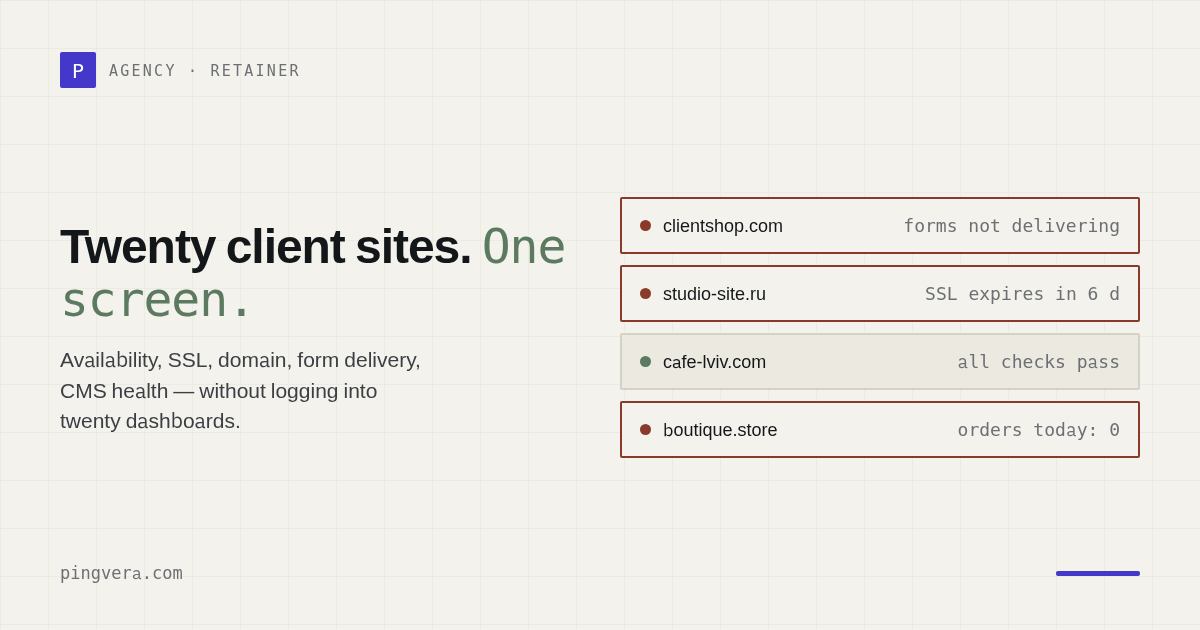
A client call — "our site is down" — is the worst possible way to learn about a problem. By that point leads have already stopped coming in, the client is stressed, and your agency looks like it isn't watching the very thing it charges a retainer for. Let's break down what to check, and how, so you learn about outages before your client does — and turn that into a retainer argument.
Why "knowing first" is really about money
When you're servicing dozens of client sites, a problem isn't a matter of "if" but "when": a certificate expires, someone forgets to renew a domain, hosting goes down, a form breaks after an update, a site gets hacked and its content swapped out. If the client spots it first, it's not just their business that suffers — it's your reputation. And reputation is exactly what keeps a client on a retainer.
The flip side: if you message the client "we noticed your SSL expires tomorrow — already renewed it" before they saw anything, that's precisely the value they pay for every month. Monitoring is the cheapest way to create it.
What exactly to check on a client's site
"The site works" isn't a single metric. Here's a checklist of what actually breaks and costs the client money.
1. Availability and speed
The basics: does the site respond with a 2xx code, and how fast. Add to that TCP-port checks (database, mail server), DNS records (not swapped, not gone), and response time broken down by request phase. If the site goes down, you need to know within minutes, not the next day.
2. SSL certificate
An expired certificate turns the site into a scary browser warning — "Your connection is not private" — and visitors leave. Let's Encrypt certificates live for 90 days, and auto-renewal sometimes fails silently. You need to track the expiry with a buffer — an alert 1–2 weeks before it expires.
3. Domain registration expiry
The most painful loss: the domain simply wasn't renewed. The whole site disappears, and a released domain can be grabbed by competitors or squatters. Registration expiry needs to be tracked ahead of time — months out, not days.
4. Forms and leads
A site can "work" but not bring in leads: form submission broke, the CRM integration fell off, emails stopped going out. This costs the client money quietly. That's why a synthetic check is useful — send a test lead and confirm it arrives, and that key content is in place.
5. Hacks and dropping out of search
Signs of a hack: redirects to a foreign domain, spam injections, defacement. A separate headache — an
accidental noindex or a robots block after a sloppy release: the site drops out of
search and traffic vanishes with no visible "breakage." Both need to be caught automatically.
6. WordPress
Most client sites run on a CMS. An outdated WordPress core and plugins are the main attack vector. It's useful to see the core version, the plugin list, and outdated components. This moves you from "firefighting" mode into prevention mode.
7. The server (if you have access)
If the client is on their own server or VPS, add monitoring for CPU, memory, disk, and network. Disk filling up or a memory leak kills a site just as effectively as downed hosting — and warns you ahead of time.
Bring the whole checklist together in one place
Pingvera checks everything above from the outside (and the server via a lightweight agent) and sends an alert the moment something goes wrong. Free for up to 5 sites.
Start free — up to 5 sitesWhy manual monitoring doesn't work
"We'll just log in and check by hand" doesn't scale: across five sites it's tolerable, across thirty it's impossible. A person checks irregularly, doesn't check at night at all, and still finds out about an outage later than automation would. You need a system that watches continuously and calls you when something breaks.
What monitoring for an agency should look like
- Checks business functions, not just "ping" — forms, domain, SSL, hacks, not just "the site responds."
- Alerts you can trust — with confirmation before it fires (several failures in a row), suppression of "flapping" checks, and maintenance windows, so you don't get woken up over a one-off blip. Delivery channels — Telegram, email, and webhook (plus Slack and Discord).
- Multiple clients in one dashboard — grouped by client, with separate reports.
- A white-label client report — under your logo and color, to justify the retainer.
The client report — your retainer argument
Once a month the client should see what they're paying for: uptime across their sites, which incidents happened, how fast you closed them. A branded report (in Pingvera, white-label on paid plans) turns the invisible work of "everything was fine" into a visible result — and reduces churn.
Where to start
List out all your client sites and set up at least three checks on each: availability, SSL, and domain expiry. That covers most of the "loud" outages in five minutes of setup. With Pingvera you can start for free — up to 5 sites with checks as often as every 1 minute, no trial period — and scale up as your client count grows.
Frequently asked questions
How often should you check client sites?
For most business sites, checking availability every few minutes and domain and SSL expiry once a day is plenty. What matters is that checks run automatically and continuously, not by hand once a week.
How much does monitoring client sites cost?
You can start for free: Pingvera's free plan covers up to 5 sites with checks as often as every 1 minute. Paid plans add more sites, more frequent checks, CMS diagnostics, and white-label reports.
How does monitoring help specifically with a retainer?
You find out about an outage before your client does and fix it before the complaint, and at the end of the month you send an uptime-and-incidents report under your own brand — which clearly shows the value of the maintenance retainer.
Learn about problems before your client does
Availability, forms, SSL and domain, hacks, WordPress — all under control. The alert lands right away, and at the end of the month, a white-label report for the client.
Start free — up to 5 sitesRead next: Client Website Inventory Template for Agencies · Monitor 50 Client Websites Without Alert Fatigue · ManageWP Client Reports vs Pingvera for Agencies · 5 Best Client Reporting Tools for Web Agencies (2026) · Run a free site check.