
A Website Can Return 200 OK and Still Be Hacked
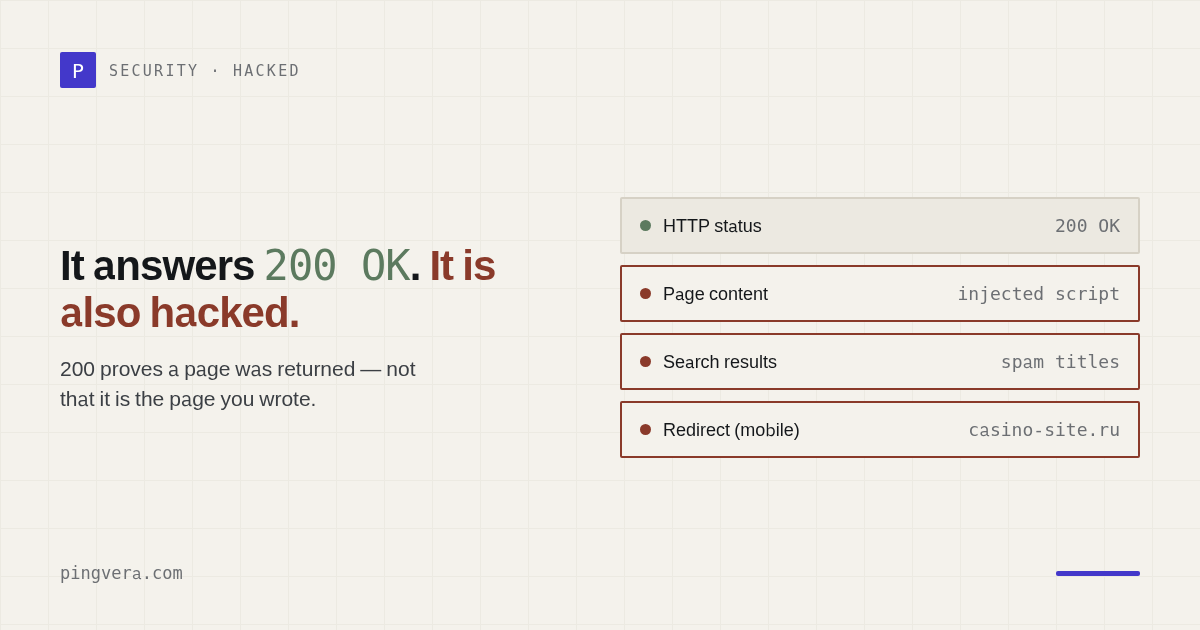
200 OK means the server successfully returned a response.
It does not mean:
- the response contains the right website;
- visitors stayed on the intended domain;
- the contact form delivers leads;
- the page remains indexable;
- no malicious script was injected;
- the website is safe.
A basic uptime monitor answers a transport question. An agency is responsible for a business outcome.
The false comfort of a green status code
Consider these pages:
- The real homepage.
- A blank template saying "Something went wrong."
- A spam page injected by an attacker.
- A page that immediately redirects mobile visitors elsewhere.
- A soft 404.
Every one can return 200 OK.
Google describes a soft 404 as a page that presents an error or lacks meaningful content while still returning a successful status. It is a bad user experience, and search systems may exclude it.
Five failures hidden behind 200
1. Content injection
An attacker adds links, text, iframes, or JavaScript to an existing page. The original content may still be present.
2. Conditional redirects
Only mobile users, search visitors, or certain regions are redirected. The agency's desktop check stays green.
3. Defacement or placeholder content
The site returns a valid HTML page, but the brand, offer, or critical content has disappeared.
4. Silent functional failure
The page loads, but the form, checkout, login, or API call fails.
5. Indexing sabotage
The page carries noindex or an unexpected canonical while remaining visually
normal.
What to check beyond status
Final destination
Record the redirect chain and validate the final hostname and protocol.
Expected content
Check for a stable marker, such as a heading, product name, form, or structured element. Avoid fragile full-page equality checks that alert on every content edit.
Forbidden content
Look for known indicators:
- unexpected
noindex; - suspicious script domains;
- defacement phrases;
- injected gambling or pharmaceutical terms;
- an external form destination.
Treat keyword checks as signals, not a complete malware scanner.
Critical interactions
Submit the form, run the checkout test, or call the business-critical endpoint. A page view is not a transaction.
Multiple perspectives
Compare regions and user agents. Hidden attacks often rely on serving different responses to different visitors.
Inside-out signals
External monitoring shows what visitors receive. A WordPress connector or server agent can add versions, plugin inventory, resource pressure, and other evidence that helps explain the failure.
Build an expected-state contract
For each critical page, define:
url: https://client.example/contact
expected_status: 200
allowed_hosts:
  - client.example
required_content:
  - "Request a quote"
forbidden_directives:
  - noindex
critical_interaction:
  type: form
This turns "looks okay" into a testable statement.
Avoid noisy monitoring
Content monitoring becomes useless when every legitimate edit triggers an alarm.
Use:
- stable markers instead of full HTML hashes;
- allowed redirect lists;
- separate warning and critical conditions;
- confirmation from another probe;
- maintenance windows for planned deployments;
- clear ownership for each alert.
Prometheus alerting guidance recommends paging on symptoms associated with user pain and avoiding pages where there is nothing to do. The same principle applies to client websites.
A green status code is only the beginning
Pingvera checks availability, redirect destinations, expected content, forms, noindex,
broken links, domains, SSL, WordPress, and servers.
If compromise is suspected
- Preserve evidence and timestamps.
- Identify affected URLs and visitor segments.
- Protect visitors.
- Check Search Console Security Issues.
- Review recent code, plugin, DNS, CDN, and credential changes.
- Remove the malicious behavior and the entry point.
- Rotate credentials.
- Retest externally and internally.
- Communicate verified facts.
- Write a blameless incident report.
Uptime recovery does not prove security recovery. Continue monitoring for recurrence.
Frequently asked questions
Is content checking a replacement for malware scanning?
No. It detects visitor-visible changes and known signals. Use it beside security scanning, update hygiene, access controls, and incident response.
Why check from multiple regions?
Regional or network-specific behavior can reveal both attacks and real availability problems that one location misses.
Can a hacked site look normal to administrators?
Yes. Attackers may exclude logged-in users or serve malicious behavior only for specific referrers, devices, or first visits.
Sources
Read next: Uptime Kuma is great — but it only pings. What it misses for client… · Server Monitoring for Web Agencies: What Matters · Critical User Journey Monitoring for Websites · 70 false alerts a day: why uptime monitors cry wolf, and what the fix… · Check a WordPress site.