
Pingvera vs WP Umbrella: WordPress Management or Business-Critical Monitoring?
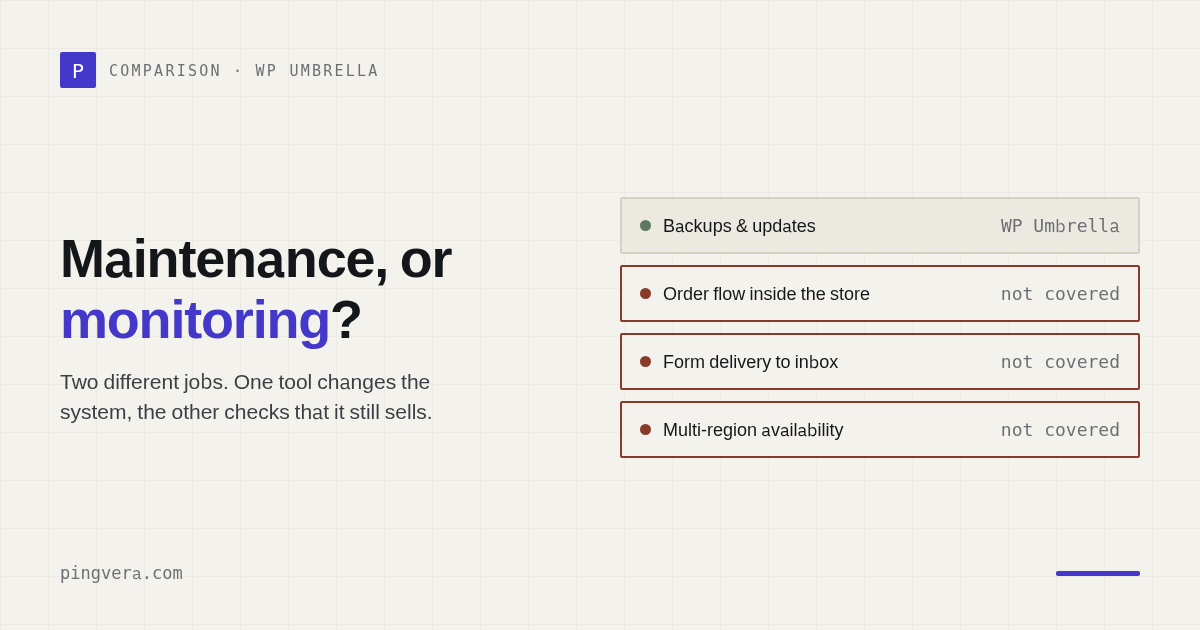
Pingvera and WP Umbrella both promise agencies the same reassuring outcome: know about trouble before the client does and show the client that maintenance has value. The products approach that outcome from different sides. WP Umbrella is a WordPress maintenance platform. Pingvera is client website monitoring that starts outside the CMS and follows business-critical paths. That distinction should decide the purchase — not the length of the feature list.
The short answer
Choose WP Umbrella when your primary job is operating WordPress: updates, backups, security, performance, and maintenance reports from one dashboard.
Choose Pingvera when you need to monitor any client website as a business
system: availability from multiple regions, forms, domain and SSL expiry, suspicious redirects,
noindex, broken links, optional WordPress diagnostics, and client servers.
Use both when the agency needs WordPress maintenance automation and independent verification that the public website still works after the maintenance.
Side-by-side comparison
| Area | Pingvera | WP Umbrella |
|---|---|---|
| Primary job | Website and critical-path monitoring for agencies | WordPress maintenance management |
| Website types | Any publicly reachable website | WordPress |
| Availability | Multi-region external checks | Uptime and performance monitoring |
| Forms | Synthetic form submission and delivery checks | Not the core reporting workflow |
| Domain and SSL | Expiry monitoring | Included monitoring |
| Integrity | Redirects, noindex, content and broken-link checks | Security, broken links, WordPress signals |
| WordPress | Optional inside-out connector | Core product surface |
| Updates | No | Safe updates and bulk management |
| Backups | No | Scheduled backups and restoration |
| Server metrics | Optional outbound agent | WordPress/PHP-oriented monitoring |
| Client reports | White-label report focused on outcomes and incidents | Customizable automated maintenance reports |
| Status pages | White-label, custom domain | Not the core product |
| Free entry | Up to 5 sites free | Two-week trial |
Where WP Umbrella is stronger
WP Umbrella should win if your checklist begins with:
- update WordPress core, themes, and plugins;
- test and roll back risky updates;
- create and restore backups;
- monitor vulnerabilities and PHP errors;
- generate reports from maintenance activity.
Its reporting system supports custom covers, section ordering, email customization, Google Analytics, custom work, scheduled delivery, and PDF attachments. Its public price is €1.99 per site per month, with optional add-ons for hourly backups and virtual patching.
Pingvera is not a replacement for update or backup management. Pretending otherwise would create a dangerous gap in a care plan.
Where Pingvera is stronger
Pingvera should win when the agency asks:
- Does the site work from more than one location?
- Can a visitor submit the contact form?
- Does the lead reach the expected destination?
- Is the site redirecting some visitors somewhere suspicious?
- Did someone accidentally add
noindex? - Are critical links broken?
- Are the domain and certificate approaching expiry?
- Is the VPS running out of disk or memory?
These questions sit above WordPress. A site can have updated plugins and a fresh backup while its form silently loses leads.
Pingvera also fits mixed portfolios. If an agency maintains WordPress, Webflow, static sites, custom applications, and client infrastructure, the external monitoring layer can remain consistent across all of them.
The report tells a different story
WP Umbrella reports are naturally maintenance-led: updates, backups, security, performance, uptime, analytics, and custom work.
Pingvera reports are designed to be exception-first:
- Is the site under control?
- Did a business-critical path fail?
- What was detected and resolved?
- What did the agency do?
- What needs attention next?
Neither model is universally better. A client buying WordPress upkeep may want update and backup proof. A client buying assurance that leads keep arriving may care more about form delivery and incidents.
Compare against your real portfolio
As of July 2026, WP Umbrella is €1.99 per WordPress site per month for the base platform. Pingvera is free for up to 5 sites, $15 per month for up to 50, and $49 per month for up to 500. Include the cost of any separate form checker, status-page product, or server monitor the agency would otherwise need.
Start free — up to 5 sitesWhich one should your agency choose?
Choose WP Umbrella if:
- almost every client site is WordPress;
- updates and backups are the main operational burden;
- the team wants one WordPress care-plan platform;
- reporting should emphasize maintenance activity.
Choose Pingvera if:
- the portfolio includes different technologies;
- losing form submissions and leads is a major risk;
- external verification matters;
- you want status pages and server monitoring beside website checks;
- reporting should emphasize business outcomes and incident response.
Choose both if:
- WP Umbrella performs maintenance;
- Pingvera independently confirms that the site, forms, and critical paths still work.
That is not redundant. One tool changes the system; the other verifies the result from the outside.
Frequently asked questions
Does Pingvera update WordPress plugins?
No. Pingvera monitors websites and optional inside-out signals; it does not replace WordPress update or backup software.
Can WP Umbrella monitor non-WordPress websites?
WP Umbrella is positioned as a WordPress maintenance platform. Pingvera's external checks work across website technologies.
Can the tools be used together?
Yes. This is a strong setup for agencies that want maintenance automation plus independent external verification.
Verify what maintenance alone can't show
Run Pingvera alongside WordPress maintenance to confirm the public site, forms, and critical paths still work — no plugin required for external monitoring.
Start freeSources
- WP Umbrella product and pricing
- WP Umbrella maintenance report documentation
- Pingvera product overview
Read next: How to Choose an Ecommerce Agency · Pingvera Webhook to Help Desk Integration · Web Agency Access Control Matrix Template · WP Umbrella alternative: when you need monitoring, not maintenance · Run a free site check.