
Pingdom alternative for agencies: the free tier, the bucket, and the blind spot
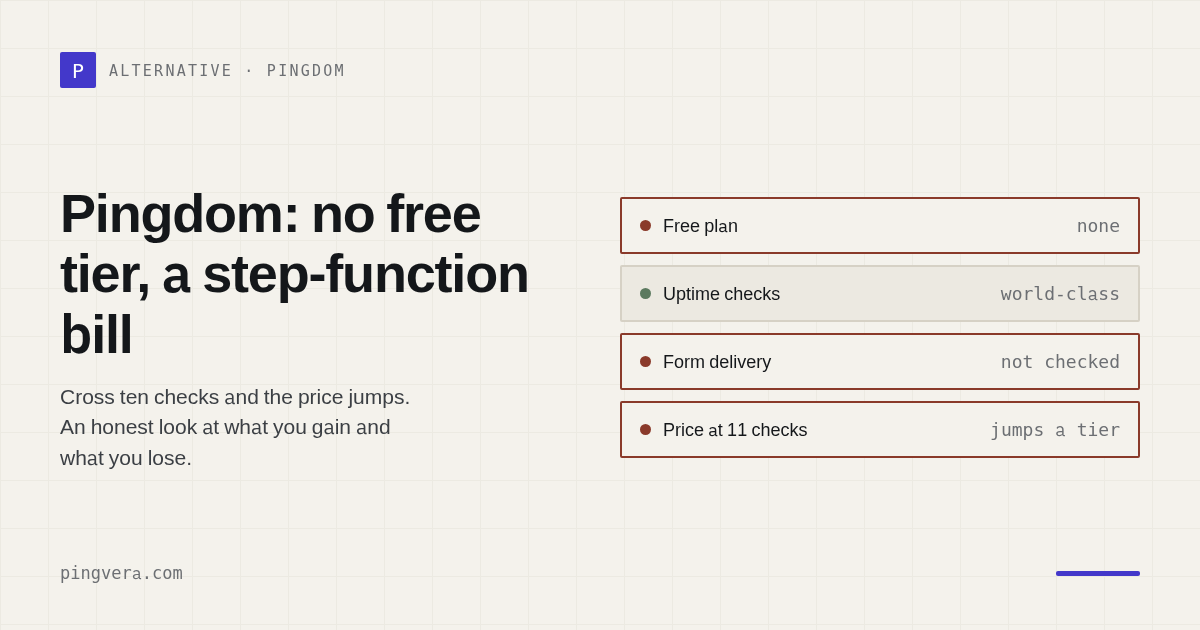
Let's be fair to Pingdom before we disagree with it. It is a mature, serious monitor: over a hundred probe servers, roughly ten of them assigned to each check, and — importantly — it double-checks an incident before alerting you, which puts it well above the tools that page you every time one probe sneezes. If you want to know whether a page is up, from many places, reliably, Pingdom does that job properly. So the honest question is not "is it good" but "is it the right shape for an agency".
The two things people actually hit
1. There is no free tier
Pingdom's pricing offers a trial — the product pages state the first 30 days are free, including Synthetics and RUM — and after that, you pay. That is a perfectly respectable business model, and it is also the first wall an agency walks into. You want to put two small client sites under monitoring, or run a proof of concept before you charge anyone for it. That now requires a purchase decision.
Our free tier is five sites, permanently, with one-minute checks. Not a trial with a timer.
2. You buy buckets, not checks
The plan ladder steps: 10 uptime checks, then 25, then 50, then 100. This matters more than it sounds for a growing agency, because your eleventh client site does not cost you one more check — it moves you into the next bucket, and the bill jumps accordingly. This step-function is the single most common complaint in public reviews of Pingdom: you are not paying for what you use, you are paying for the size of the box you happen to be standing in.
Agencies grow one client at a time. Pricing that grows in cliffs is a bad fit for a business that grows in steps of one.
The real difference isn't price
Here is the thing worth thinking about, and it has nothing to do with the invoice.
Pingdom belongs to the SolarWinds observability world: APM, infrastructure, logs, RUM. It is built for a team that owns a system and wants to know its state. It answers, with excellent precision, the question "is the website responding?"
An agency lives on a different question: "is my client's business still running through this website?" Those sound similar and they are not remotely the same. A site can respond perfectly, from every continent, at 200 ms, while:
- the contact form stopped delivering leads three weeks ago — the form still shows a green success message;
- the WooCommerce store stopped taking orders entirely, or is being ground through by bots testing stolen cards;
- WP-Cron died, so backups silently stopped running months ago;
- core files were modified by an injected backdoor;
- the domain expires in nine days.
Every one of those returns HTTP 200. Every uptime monitor on earth, Pingdom included, shows green. And every one of them is the kind of thing that ends a client relationship.
Pingdom can script a transaction — it has "Advanced" checks for that — and a well-maintained script will catch a broken checkout flow. But scripts are expensive to write and brittle to keep: they break on every redesign, and nobody rebuilds fifty of them across fifty client sites. And crucially, no transaction script verifies that the lead email actually landed in a mailbox. It can submit the form. It cannot open the inbox.
Check a client site from several regions
Availability from Europe and the US, SSL, domain expiry and WordPress health — free, no sign-up.
Check a siteSide by side, honestly
| Pingdom | Pingvera | |
|---|---|---|
| Free tier | No — trial only | 5 sites, permanent |
| Pricing shape | Buckets (10 → 25 → 50 checks) | Per plan by site count |
| Probe network | 100+ servers, ~10 per check | Several regions in Europe and the US |
| Confirms before alerting | Yes — second check on every incident | Yes — quorum across regions |
| Check interval | From 1 minute | 1 minute on every plan, free included |
| Transaction scripting | Yes (Advanced checks) | No — see the honest bit below |
| Real User Monitoring | Yes | No |
| SSL expiry | Yes | Yes |
| Form lead delivered to inbox | No | Yes — submit and verify in the mailbox |
| WooCommerce order monitoring | No | Yes |
| WordPress health from inside | No | Yes — cron, core integrity, vulnerable plugins |
| Client-facing report | Not its focus | White-label, business-language, immutable |
| Built for | DevOps / enterprise observability | Agencies running other people's sites |
Where Pingdom is the better choice
We would rather you buy the right tool than buy ours:
- You need Real User Monitoring — actual visitors' performance data. We don't do it.
- You need scripted transaction monitoring in a browser across arbitrary flows. We deliberately don't: we watch orders and form delivery from inside the store instead, which is cheaper and less brittle, but it is not a general-purpose browser script.
- You are inside an enterprise observability stack and want monitoring that lives next to your APM and logs.
- You need far more geographic coverage than a handful of regions.
Those are real reasons and none of them are a consolation prize.
Where we are
If you look after other people's websites — a portfolio of client sites, mostly WordPress, where the thing that gets you fired is not a slow page but a lead that never arrived — then a monitor of the website is not enough, no matter how good it is. You need a monitor of the business: forms that still deliver, stores that still take money, CMS that hasn't been quietly compromised, domains that don't expire on a Saturday. Plus a report your client reads, in language that isn't "99.98%".
That's the whole difference. Pingdom answers "is it up?" superbly. We answer "is it working?" — which is the question your client is actually asking, even when they don't know how to phrase it.
FAQ
Does Pingdom have a free plan?
No — only a trial (their product pages state the first 30 days are free, including Synthetics and RUM). There is no permanently free tier.
Why does it get expensive quickly?
You buy buckets, not checks: the ladder steps 10 → 25 → 50 uptime checks, so an eleventh client site moves you to the next tier rather than costing one more check.
Does Pingdom confirm outages before alerting?
Yes — they state they perform a second check on every incident to filter out false positives. To be fair to them, they are not one of the tools that alerts on a single failed probe.
What doesn't it monitor?
The business paths: whether a form's lead reached the inbox, whether a store still accepts orders, whether WordPress core was modified. It monitors the website, not the business the website is doing.
Monitoring shaped for client work
Multi-region availability, form delivery to the inbox, WooCommerce orders, WordPress health, white-label client reports. Free for up to 5 sites.
Start freeRead next: StatusCake alternative for agencies: the free tier is 5 minutes, and… · Freshping alternative for agencies: it shuts down March 6, 2026 · UptimeRobot alternative for agencies: what client work actually needs · Monitoring as Code for Web Agencies · Run a free site check.