
“Your site is down”: why “it works for me” is the worst answer a client can hear
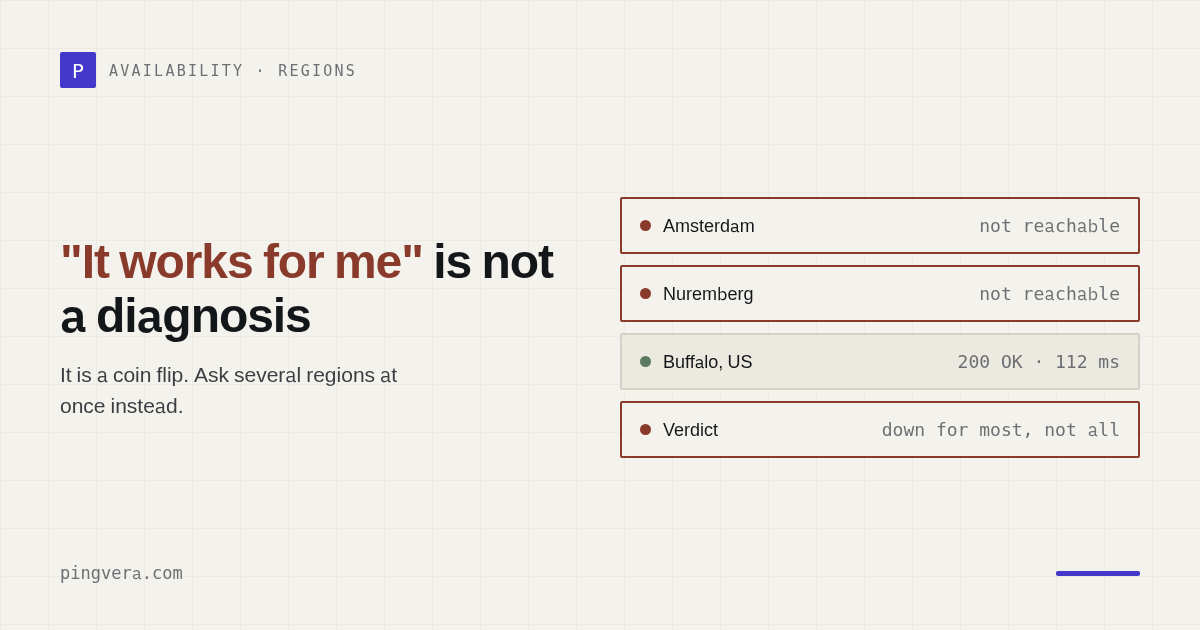
There's one phrase that makes every web agency's blood run cold: “Our site isn't working.” And if the agency learns about the outage from the client, it has already lost the first round — even if everything gets fixed ten minutes later. Let's break down why “it works for me” is the worst possible answer, and how to check website availability so you see the problem before the client does.
Why “Give us a second, we'll check” already sounds bad
The call usually skips the pleasantries: “What's going on over there? We're running ads. Customers can't get in. Are you even watching the site?” The natural reply is “Give us a second, we'll check.” But that phrase is already a losing move. The client doesn't hear “we're on it” — they hear “we had no idea.” They pay the agency partly for peace of mind, and instead they get the feeling that nobody is watching their site at all.
The worst thing you can say next: “It works for me.” The site doesn't open for the client. It opens for the account manager. It opens for the developer on mobile data. The hosting status page is all green. There are ten messages in the chat, and nobody actually knows: is the site down or not?
Checking from one laptop is a coin flip, not a diagnosis
The biggest mistake is assuming that “it works for me” disproves the problem. A site doesn't have to go down for everyone at once. What can fail on its own:
- one region or one ISP;
- one DNS resolver;
- one CDN node;
- only the
wwwversion of the domain, while the bare domain is perfectly fine; - the homepage responds, but the contact form and the cart are already dead.
That's why checking availability from a single device proves nothing. To know whether the site is down for everyone or only for some visitors, you need checks from several independent locations. From one network you see your network — not what the client sees.
What you need to know within the first two minutes
While the chat argues about “what about on your phone? try a VPN? send a screenshot”, a grown-up support team answers concrete questions:
- Is the site down for everyone or only for part of the audience?
- Where exactly is the failure — DNS, TLS, HTTP, the application, a redirect, or a timeout?
- Is the whole site down, or a single page?
- Is the failure confirmed by several checks, or was it one brief blip?
- When was the last successful check?
Without those answers, every outage turns into a manual interrogation of the client. Sometimes you do need to ask follow-up questions. But if every incident starts that way, that's not support — that's a fire brigade wearing a blindfold.
Stop learning about outages from phone calls
Pingvera checks your site's availability from multiple locations and confirms failures by quorum, not by a single random blip. Checks every minute, alerts in Telegram or by email.
Start free — up to 5 sitesA site can be “up” and still be killing the business
The reverse happens too: the site opens, uptime monitoring is green, the homepage returns 200 OK, everyone relaxes. And the client still gets no leads. Because the form doesn't send the email. Or the CRM rejects the lead. Or the thank-you page is broken. Or the catalog works while checkout is down.
The client doesn't need a site that merely “opens.” They need a site that does its job — brings in leads and orders. If monitoring only checks the homepage, it catches the crudest outages while the quiet business-function failures slip right past. That's why Pingvera doesn't stop at availability and request timing — it can also do a synthetic form submission and verify that the lead actually reached the inbox, instead of just “the page loaded.”
What grown-up availability monitoring looks like
Proper monitoring works like this:
- the site is checked automatically, not “when someone remembers”;
- checks run from several locations, not from one laptop;
- at a sensible frequency — say, once a minute;
- with failure confirmation, so nobody gets woken up by one random blip;
- with a breakdown of what exactly failed: DNS, TLS, HTTP, a form, a redirect, a page, the CMS, or the server.
Then instead of a sheepish “let us check”, you can write the client a calm, precise message: “We can see an availability issue. The failure is confirmed from multiple locations and started at 10:42. We're checking the hosting and the network route.” That's the difference between “the client caught us napping” and “we're in control of the situation.”
Frequently asked questions
How do I check whether a site is really down, or just down for me?
Check availability from several independent locations, not from a single laptop. If the site fails to load only for you but responds fine from other networks and regions, the problem is local: your ISP, DNS resolver, browser cache, or VPN. A real outage shows up from several locations at once. Pingvera checks from multiple locations and opens an incident only on quorum — when the failure is confirmed, not on a single random blip.
Why does a website fail to load only for some visitors?
A site can be unavailable for part of its audience rather than everyone. One region, one ISP, one DNS resolver, or one CDN node can drop out. Sometimes only the www version of the domain fails while the bare domain is fine, or the homepage responds while the contact form and the cart are already down. That's why a check from one device proves nothing — you need availability checks from multiple locations and across different scenarios.
How can I find out quickly that a site went down?
You need automated uptime monitoring with frequent checks and alerts. Pingvera checks sites every minute on every plan, including the free one, confirms failures from multiple locations, and sends a notification to Telegram or email. That way the agency learns the site is down before the client does — not from their phone call.
Your client shouldn't be your monitoring system
Pingvera watches availability, response time and request phases, SSL, domain expiry, forms, signs of hacking, WordPress, plus server metrics. Whether you run five client sites or fifty — the free plan covers up to 5 sites, with checks from 1 minute.
Start free — up to 5 sitesRead next: Domain expiry: how to check when a domain expires · Client Website Down: Email & Status Templates · Know your client's site is down before they call · SSL certificate expired: how to check and never miss the date · Check availability from several regions.