
Action Scheduler Past-Due Actions in WooCommerce: Clear the Queue Before Black Friday
Past-due actions in WooCommerce are background jobs that missed their scheduled time and are still waiting in the queue. A few of them are normal. The Action Scheduler documentation says that "because of how WP Cron works, it is normal to have some past-due actions", and that "if there are several past-due actions more than one day old, there may be something wrong with your site." Open WooCommerce > Status > Scheduled Actions, filter by Pending, and look at the oldest scheduled date. Minutes old is fine. Days old means the queue runner has stopped, and whatever depends on it has stopped too.
On most stores the runner stops for one of three reasons: WP-Cron is not firing (low traffic, or DISABLE_WP_CRON set without a replacement), one slow or broken action keeps timing out, or the queue grew faster than the default runner can drain it. You can tell these apart in about fifteen minutes. Fix the cause before Black Friday (27 November 2026) and Cyber Monday (30 November): subscription renewals, webhooks and some customer emails run through this queue, and a stalled queue shows no error on the storefront.
At a glance
- Action Scheduler is the job queue WooCommerce uses for Subscriptions renewal payments, webhooks and some customer emails, plus jobs from many extensions.
- By default it starts from WP-Cron about once a minute, processes batches of 25 actions, and stops each run after 30 seconds or 90% of available memory.
- An action that runs for more than 5 minutes is marked failed. A few past-due actions are normal; pending actions more than a day old are a fault.
- Do not delete past-due actions. Restore the trigger (WP-Cron or a real server cron) and the stored actions run.
- WooCommerce 11.3.0 shipped on 11 November 2026 with a database update. Its pre-release notes describe a backfill that runs through Action Scheduler, so watch the queue after updating.
- Add a heartbeat or an order-flow check so you hear about a stalled queue before customers or accountants do.
Why it matters now
WooCommerce 11.3.0 was released on 11 November 2026, and its release notes list "Database update: yes". The developer pre-release post explains that a new database update, wc_update_1130_backfill_order_stats_payment_method(), fills a new payment method column for existing orders and "runs in the background through Action Scheduler, 500 orders per batch." On a store with a long order history that means extra queued work arriving in the weeks before peak. If the queue is already unhealthy, the backfill waits behind everything else, and everything else waits behind it.
Peak traffic adds load to the same queue. More orders mean more webhook deliveries, more follow-up emails from marketing extensions and more stock or ERP sync jobs if your integrations use the queue. WooCommerce's own documentation describes Action Scheduler as handling "millions of WooCommerce Subscriptions payments, WooCommerce webhooks, and events or emails for other extensions/plugins."
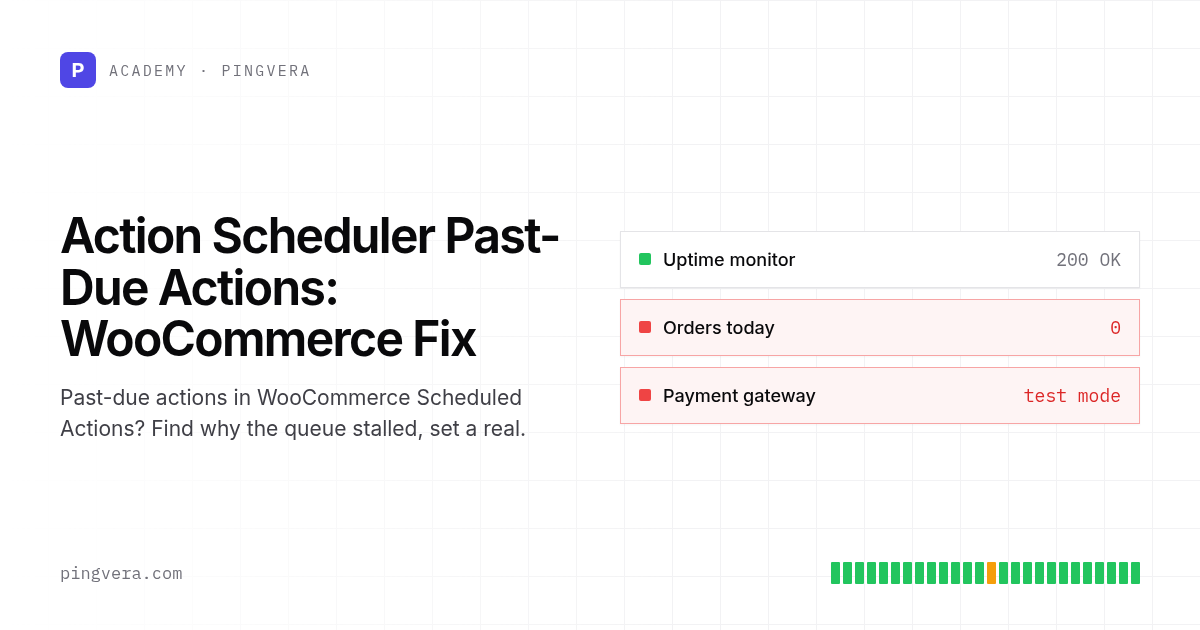
When the queue stalls, the storefront and checkout still load, uptime checks stay green and new orders still arrive. What stops is the work that happens after the order: renewal orders are not created on their dates, webhooks to your fulfilment or accounting tools are not sent, and some customer emails are not sent. For subscription stores the WooCommerce Subscriptions guide describes the symptom: "Subscriptions are active, but next payment date is in the past."
How the queue runs, in short
According to actionscheduler.org (as of November 2026):
- The scheduler attaches to a hook "scheduled using WordPress's built-in WP-Cron system" and tries to run every minute.
- On WP Admin requests it also checks once per minute for pending actions and starts a queue "via an async loopback request", meaning the server sends a request to itself.
- Each run claims a batch of 25 actions and keeps going until it has used 90% of available memory or has been processing for 30 seconds. By default only one batch runs at a time.
- Claims older than five minutes are released, and an action running for more than five minutes is marked failed.
- Completed and canceled actions are deleted after about a month. Since version 4.0.0, failed actions are kept for three months by default.
WP-Cron itself only runs when someone loads a page. The Subscriptions guide warns that "on a site with low traffic, events might not run at their scheduled time." Without WP-Cron, the guide adds, the queue "can only be processed via WP Admin async requests", so it runs only when someone is working in the admin.
Step-by-step: diagnose and clear past-due actions
- Measure the backlog. Go to WooCommerce > Status > Scheduled Actions (also under Tools > Scheduled Actions). Filter by Pending and sort by scheduled date. Write down the oldest past-due date and the count. Then check WooCommerce > Status > System Status, which shows oldest and newest dates for each status in its Action Scheduler section.
- Group the backlog by hook. Search the list by hook name. A backlog spread across many hooks points to a dead trigger. A backlog of one hook (for example
woocommerce_scheduled_subscription_paymentor a single extension's sync job) points to that job. - Read the failed actions. Filter by Failed and open the log for recent entries. Repeated timeout failures on one hook often mean the job calls a slow external API or processes too much per action. Fix or pause that extension before draining the queue.
- Check whether WP-Cron fires. Look in
wp-config.phpfordefine( 'DISABLE_WP_CRON', true );. If it is there, confirm that a server cron job actually replaces it. The Subscriptions guide suggests comparing the WP-Cron "Next Run" date (for example with the WP Crontrol plugin) with the last completed Action Scheduler action: "if the WP-Cron date is recent... and after the Action Scheduler date, then Action Scheduler is blocked." - Check the loopback. The admin trigger depends on the server reaching itself over HTTP. HTTP authentication on a staging copy, a firewall rule or a security plugin can block that request. Site Health under Tools in WordPress reports loopback problems.
- Set up a real cron. WordPress documents disabling WP-Cron in
wp-config.phpand callingwp-cron.phpfrom the system scheduler. WooCommerce's AutomateWoo documentation recommends an interval of "no more than five (5) minutes". Use the snippet below. - Drain the backlog in a controlled way. For a small backlog, use "Run" on individual actions in the admin screen. For thousands of actions, ask your developer or host to run
wp action-scheduler runover WP-CLI during a quiet hour, with a limited number of batches. The WP-CLI documentation warns that filtering with--groupor--hookscan break ordering between actions that depend on each other, so drain everything in order unless you have a reason not to. - Tune settings only if the queue cannot keep up. The performance guide documents filters for the time limit, batch size and concurrent batches, and warns that more concurrent batches "can substantially increase server load and take down a site. WP CLI is a better method to achieve higher throughput." Match the time limit to your host's request limit (the guide cites 60 seconds on WP Engine and 120 seconds on Pantheon and SiteGround).
- Confirm the side effects. For subscription stores, check that renewal orders appeared for the dates that were past due and that payments were attempted. For webhooks, confirm in the receiving system (ERP, fulfilment, CRM) that the missed events arrived.
When you restore the trigger, leave the queued actions alone. The Subscriptions guide says: "When reinstating WP-Cron, you do not need to clear out or regenerate Subscriptions-related events. Action Scheduler has those events safely stored in a queue waiting to be run."
Risk table
| Risk | Owner | Check | Frequency |
|---|---|---|---|
| WP-Cron not firing, queue stalled | Developer or host | Oldest pending action in Scheduled Actions is under one hour old | Daily until peak, then several times a day |
| One hook times out repeatedly | Developer | Failed list filtered by last 24 hours, grouped by hook | Daily |
| Subscription renewals not created | Store manager | Active subscriptions with next payment date in the past | Daily during renewal-heavy periods |
| Webhooks to ERP or fulfilment missing | Operations | Order count in WooCommerce matches order count in the receiving system | Daily |
| Backfill or migration crowding the queue after an update | Developer | Pending count before and after the update, drained within the expected time | After every WooCommerce update |
| Server cron removed during host migration | Agency | Cron entry present, heartbeat received | After any server change |
Copyable artefact: real cron setup and queue test plan
Example configuration. Replace the URL and paths with your own and test on staging first.
# wp-config.php (above the "That's all, stop editing" line)
define( 'DISABLE_WP_CRON', true );

# crontab -e  (runs WP-Cron every 5 minutes, per the AutomateWoo guidance)
*/5 * * * * wget -q -O - https://example.com/wp-cron.php >/dev/null 2>&1

# Optional, if WP-CLI is available: drain Action Scheduler directly
# and report to a heartbeat monitor only when the command succeeds
*/5 * * * * cd /var/www/example.com && wp action-scheduler run --batches=5 --quiet && curl -fsS YOUR_HEARTBEAT_URL >/dev/null
Queue test plan before peak:
[ ] Oldest pending action is less than 1 hour old
[ ] No hook has more than a handful of failures in the last 24 hours
[ ] DISABLE_WP_CRON is either absent or replaced by a working server cron
[ ] Site Health shows no loopback request errors
[ ] Test subscription (manual renewal, test gateway) renews on schedule on staging
[ ] Test order triggers the expected webhook in the receiving system
[ ] After the WooCommerce 11.3 update: pending count returns to normal levels
[ ] Heartbeat alert fires when the cron job is paused for 15 minutes (then re-enable)
[ ] Named person checks the queue each morning from 24 Nov to 1 Dec
Worked scenario (illustrative)
An illustrative subscription store sells coffee boxes and renews about 300 subscriptions on the 1st of each month. The agency moved it to a new server in October and copied wp-config.php, which contained DISABLE_WP_CRON, but not the old crontab. With WP-Cron disabled and no server cron, the queue ran only when someone opened the admin, and the team logged in on weekdays.
On a Monday morning the store manager sees no renewal orders from the weekend. Scheduled Actions shows 340 pending actions, the oldest from Saturday 00:00, most of them woocommerce_scheduled_subscription_payment. The failed list is empty, so no job is broken; the trigger is missing. The developer adds the five-minute cron entry, runs wp action-scheduler run with a few batches at a quiet hour, and watches renewal orders appear with Pending payment status before the gateway processes them. They then compare the renewal orders against the subscription list to confirm none were skipped, and add a heartbeat so the next missing cron produces an alert within minutes instead of a lost weekend.
Common mistakes
- Deleting past-due actions to make the warning go away. Those actions are the renewals, webhooks and emails you still owe. Restore the trigger and let them run.
- Setting
DISABLE_WP_CRONwithout a replacement. The setting is safe only with a working server cron. A host migration is the usual moment the cron entry disappears. - Raising concurrent batches to clear a backlog fast. The Action Scheduler documentation warns this can take a site down. Use WP-CLI in controlled batches.
- Draining by hook without thinking about order. Running one hook ahead of others can process actions out of their intended sequence.
- Fixing the queue and skipping the side effects. A drained queue does not prove that the ERP received every webhook or that every renewal payment succeeded. Reconcile the outputs.
Limitations: the defaults above come from actionscheduler.org as of November 2026; extensions and hosts can change them. WooCommerce's own scheduled-actions page mentions batches of 20 while actionscheduler.org says 25, so check the version bundled with your store if the number matters. Some features you might expect to use the queue (for example scheduled sale prices) are documented by WooCommerce as WP-Cron tasks, which still stop when WP-Cron stops. This article does not cover managed hosts that run their own queue workers; ask your host how they trigger Action Scheduler.
FAQ
Is it safe to delete past-due scheduled actions in WooCommerce?
In most cases, no. Pending actions are work your store still has to do, such as renewal payments and webhook deliveries. Delete only actions you have confirmed belong to an extension you removed, and keep a database backup first.
How many past-due actions is too many?
The Action Scheduler FAQ treats some past-due actions as normal and flags "several past-due actions more than one day old" as a sign of a problem. On a busy store, aim for an oldest pending action well under an hour old.
Does WooCommerce 11.3 change how Action Scheduler works?
The 11.3.0 release notes (11 November 2026) list a database update, and the pre-release post describes a payment method backfill that runs through Action Scheduler in batches of 500 orders. It adds work to the queue; it does not change how the queue runs. Check the backlog after updating.
Sources
- Action Scheduler: overview, batch processing and housekeeping
- Action Scheduler FAQ: past-due actions and WP-Cron
- Action Scheduler performance tuning
- Action Scheduler WP-CLI commands
- Action Scheduler admin screen
- WooCommerce: Scheduled Actions
- WooCommerce: Understanding the System Status Report
- WooCommerce Subscriptions: complete guide to scheduled events
- WooCommerce Subscriptions: renewal process
- AutomateWoo: replace WP-Cron with a real cron job
- WordPress Developer Resources: hooking WP-Cron into the system task scheduler
- WooCommerce 11.3: what's coming for developers
- WooCommerce 11.3.0 release notes
Last reviewed: 2026-11-11
Related reading: WordPress cron not running, subscription dunning and failed payments, updating WooCommerce safely and catching a store that stopped selling.
If you want the cron job above to report in, Pingvera's heartbeat checks alert you when an expected ping stops arriving, and its WooCommerce connector compares order flow to an hourly baseline, so a store that is up but quiet gets noticed. Both appear on one timeline next to your deploys, which helps when the queue stalls right after an update.
Know about problems before your customers do
Pingvera watches whether an online business actually works — uptime, checkout, orders, domain, SSL and server — and alerts you in Telegram, email or a webhook before a customer has to tell you.
Start freeRead next: WooCommerce Coupon Not Working? Fix It Before Black Friday · WordPress cron not running: the scheduler that only works when someone… · WooCommerce failed orders: what a spike, a stall and a silence each mean · WordPress Version Checker: Core, Plugins, WooCommerce · Run a free site check.
Read next: WooCommerce Add to Cart Not Working: Pre-Peak Fix Guide · WordPress cron not running: the scheduler that only works when someone… · WooCommerce failed orders: what a spike, a stall and a silence each mean · WordPress Version Checker: Core, Plugins, WooCommerce · Run a free site check.