
PayPal IPN Not Working: Find Paid Orders Stuck in Pending Before Black Friday
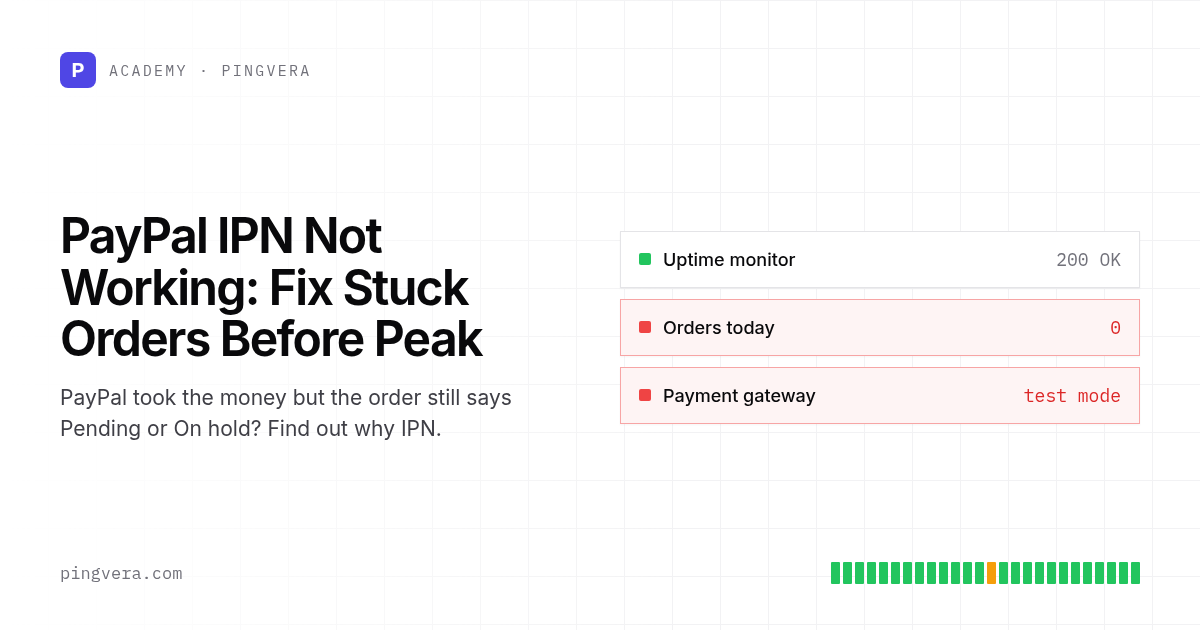
When PayPal IPN is not working, the customer pays and PayPal shows the money, but your store never hears about it. The order stays in Pending payment or On hold, no confirmation email goes out, and nobody packs the parcel. WooCommerce's own PayPal Standard documentation answers the question "Why am I getting payments, but orders are still pending?" in one line: "the PayPal IPN is failing."
You can usually find the cause in under an hour. Open IPN History in your PayPal account and look for messages marked as retrying or failed. Confirm that the notification URL points at your live store and that the receiver email matches your primary PayPal address. Then check that your server, firewall and cache let PayPal's POST through. With Black Friday on 27 November 2026, do this now. Also put a date in the calendar for the move off PayPal Payments Standard, which Gravity Forms reports reaches full end of life in January 2027.
At a glance
- A failing IPN listener leaves paid orders unconfirmed. The site stays up, checkout looks fine, and uptime monitoring stays green.
- PayPal resends an unacknowledged IPN "for up to four days, with a maximum of 15 retries", and expects a response within 30 seconds. After that the message stops arriving.
- The IPN History page in your PayPal account shows each message and its delivery status, and lets you resend selected messages.
- Common causes named in PayPal and WooCommerce docs: wrong or localhost notification URL, firewall blocking PayPal's POST, blocked outgoing port 443, cached responses, and a receiver email that does not match the primary PayPal address.
- PayPal describes its NVP/SOAP stack, which IPN belongs to, as legacy. Plan the move to PayPal's current checkout and REST webhooks after peak, not during it.
Why it matters now
A listener that drops one notification in fifty on a quiet Tuesday can leave dozens of paid orders unconfirmed on Black Friday weekend, and each one is a customer who paid and is still waiting for a confirmation email.
The retry window makes the timing tight. PayPal's IPN documentation (last updated 17 August 2026) states that PayPal resends a message until your listener responds, "although the interval between retries increases with each attempt", for up to four days and 15 retries. If your listener breaks on Friday and nobody notices until Tuesday, some of the weekend's notifications will already be past that window. You then have to resend them by hand from IPN History or update the orders yourself.
IPN itself is also on its way out. PayPal's IPN pages carry a deprecation notice: "PayPal's NVP/SOAP APIs are legacy APIs, but PayPal continues to support them." Gravity Forms' documentation (modified 2 November 2026) states that "PayPal will deprecate Website Payments Standard (WPS) in January 2026, with full End Of Life in January 2027", and that merchants on its PayPal Standard add-on "must migrate to PayPal Checkout to maintain payment functionality." We could not find that end-of-life date on a PayPal page, so confirm it with your PayPal account manager or the PayPal developer site before you plan around it. On the WooCommerce side, PayPal Standard has been hidden for new installations since WooCommerce 5.5.0, and WooCommerce says support for it "is very limited". Older stores that still run it are the ones most exposed.
Step-by-step: check your PayPal notifications today
- Count the suspects. In your store admin, filter orders by payment method PayPal and status Pending payment or On hold for the last 30 days. Expect some: WooCommerce notes that a customer who abandons the payment on PayPal's side leaves an order Pending, and "No action is necessary." What matters is any of these orders that has a matching completed payment in PayPal.
- Match against PayPal. Export the same date range from PayPal's activity report and match by invoice or order number and amount. A completed PayPal payment against a pending store order is your failure signal.
- Open IPN History. In your PayPal account, open the IPN History page. PayPal documents statuses including
Retrying, which means "The message was re-sent between 1 and 15 times and PayPal continues to resend the message." A run of Retrying or Failed messages tells you the listener is the problem. - Check the notification URL. For WooCommerce PayPal Standard the documented IPN URL has the form
https://example.com/?wc-api=WC_Gateway_Paypal, set under Settings > Notifications > Instant Payment Notifications in PayPal. Look for a staging domain, an old domain after a migration, plain HTTP, orlocalhost. PayPal's testing guide warns that a localhost URL "causes the IPN service to post to itself rather than to your server." - Check the receiver email. WooCommerce states the receiver email "needs to be the Primary email address listed in the PayPal.com setting page". A mismatch causes the IPN response to be rejected, "This could result in orders remaining on hold or not completing."
- Check the network path. Your firewall or WAF must accept HTTPS POST requests from PayPal, and your server needs outgoing port 443 open, because the listener posts each message back to PayPal for validation. Exclude the IPN URL from page caching and from any bot challenge or rate limit.
- Check sandbox against live. PayPal returns
INVALID"if you are testing in the sandbox and your listener posts back to the live site (or vice versa)." A store that was cloned from staging sometimes keeps sandbox mode switched on. - Resend and confirm. Once you have fixed the cause, select the affected messages in IPN History and use Resend selected. Watch the matching orders move to Processing and confirm the customer emails went out.
Risk, owner and check
| Risk | Owner | Check | Frequency |
|---|---|---|---|
| Paid order stays Pending or On hold | Store operator | Match PayPal completed payments against store order status | Daily during peak, weekly otherwise |
| IPN messages retrying or failed | Agency or developer | Review IPN History for Retrying and Failed entries | Daily during peak |
| Notification URL points at the wrong host | Developer | Compare PayPal notification settings with the live domain after every migration or domain change | After each change |
| WAF, bot rule or cache blocks PayPal's POST | Hosting or agency | Review WAF logs for blocked requests to the IPN URL; confirm cache exclusion | Before peak and after rule changes |
| Receiver email mismatch | Store operator | Compare gateway setting with PayPal primary email | After any PayPal account change |
| Legacy PayPal Standard reaches end of life | Owner and agency | Migration plan with a date, tested on staging | Plan in December, migrate in January |
Copyable test plan: PayPal IPN before peak
PAYPAL IPN TEST PLAN                     Store: ______________  Date: ________

Preparation
[ ] Staging store uses PayPal sandbox; live store uses live credentials
[ ] Notification URL in PayPal = https://<live-domain>/?wc-api=WC_Gateway_Paypal
    (or your plugin's documented listener URL)
[ ] Receiver email in gateway settings = PayPal primary email
[ ] IPN URL excluded from page cache, CDN cache and bot challenges
[ ] Outgoing HTTPS (port 443) from the web server is allowed

Live test (small real order, refund afterwards)
[ ] Place an order with PayPal for a low-priced product
[ ] Order moves from Pending payment to Processing within a few minutes
[ ] Order notes show the PayPal transaction ID
[ ] Customer confirmation email received
[ ] IPN History shows the message as sent, not Retrying
[ ] Refund the order in PayPal; store order shows the refund

Failure drill
[ ] Temporarily block the IPN URL on staging; confirm the sandbox
    order stays Pending and IPN History shows Retrying
[ ] Unblock, use Resend selected, confirm the order completes

Daily check during peak (5 minutes)
[ ] PayPal orders in Pending/On hold older than 1 hour: ____
[ ] Of those, with a completed PayPal payment: ____  (target: 0)
[ ] IPN History Retrying/Failed since yesterday: ____
If your store uses HPOS, a read-only query like this lists the PayPal orders worth checking. Adjust the table prefix and run it on a replica or during a quiet hour:
SELECT id, status, total_amount, currency, date_created_gmt
FROM wp_wc_orders
WHERE payment_method = 'paypal'
  AND status IN ('wc-pending', 'wc-on-hold')
  AND date_created_gmt < UTC_TIMESTAMP() - INTERVAL 1 HOUR
  AND date_created_gmt > UTC_TIMESTAMP() - INTERVAL 7 DAY
ORDER BY date_created_gmt DESC;
Worked scenario (illustrative)
A homeware store on WooCommerce moved hosts in October. The agency copied the site, switched DNS and checked that checkout loaded. PayPal Standard still pointed at a temporary URL on the old host. On the first weekend of November, the store took 40 PayPal payments (illustrative figure). All 40 orders stayed On hold. The owner noticed on Monday when three customers wrote to ask where their parcels were.
IPN History showed the weekend's messages as Retrying. The developer updated the notification URL, resent the selected messages, and the orders moved to Processing within the hour. Because they caught it on day two, every message was still inside PayPal's four-day retry window. They added "update PayPal notification URL" to the migration checklist and set up a daily comparison of PayPal payments against order status for the peak period.
Common mistakes
- Treating every Pending PayPal order as abandoned. Some are, but you only know by matching against PayPal's records.
- Fixing the URL and forgetting the backlog. Changing the setting does nothing for messages that already failed; resend them or update those orders by hand.
- Adding a bot rule or WAF challenge in November without excluding payment callback URLs. PayPal's servers cannot solve a challenge page.
- Migrating to a new PayPal plugin in the week before Black Friday. Do it in January, on staging first, and keep the old listener running until the new one has handled real orders.
- Trusting the User-Agent header. PayPal says: "Do not use this header to verify that an IPN really came from PayPal." Use the documented postback validation instead.
This checklist has limits. It covers IPN-based integrations, mainly PayPal Standard and custom listeners. Stores on the current PayPal Payments plugin use a different integration, and their failure points sit in that plugin's webhook and API settings. Reconciliation finds stuck orders after the fact. It will not stop a customer from paying into a broken flow in the meantime.
FAQ
How long does PayPal keep retrying a failed IPN?
PayPal's documentation says it resends an IPN for up to four days, with a maximum of 15 retries, and the gap between attempts grows each time. After that, use Resend selected in IPN History or update the order manually.
Why is my WooCommerce PayPal order On hold even though the payment went through?
The two most common documented causes are a receiver email that does not match your primary PayPal address and a listener that cannot validate the message with PayPal. If the order note mentions "unilateral", the payment went to an email that is not a registered or confirmed PayPal account.
Should I switch from IPN to webhooks before Black Friday?
Only if you have time to test the new integration with real orders. For most stores, the safer plan is to fix and monitor the current IPN setup for peak, then migrate to PayPal's current checkout in January. PayPal retries webhook deliveries up to 25 times over three days, and its Webhook Events dashboard lets you resend events from the last 30 days.
Sources
- PayPal Developer, Instant Payment Notification overview: https://developer.paypal.com/api/nvp-soap/ipn/
- PayPal Developer, IPN introduction and listener protocol: https://developer.paypal.com/api/nvp-soap/ipn/IPNIntro/
- PayPal Developer, IPN History: https://developer.paypal.com/api/nvp-soap/ipn/IPNOperations/
- PayPal Developer, IPN testing and troubleshooting: https://developer.paypal.com/api/nvp-soap/ipn/IPNTesting/
- PayPal Developer, IPN and PDT variables: https://developer.paypal.com/api/nvp-soap/ipn/IPNandPDTVariables/
- PayPal Developer, Webhooks overview: https://developer.paypal.com/api/rest/webhooks/
- PayPal Developer, Webhook Events dashboard: https://developer.paypal.com/api/rest/webhooks/events-dashboard/
- WooCommerce, PayPal Standard documentation: https://woocommerce.com/document/paypal-standard/
- Gravity Forms, Setting up the PayPal Payments Standard add-on: https://docs.gravityforms.com/setting-up-paypal-payments-standard/
Last reviewed: 2026-11-08
For related checks, see orders marked as paid without payment, payment-to-order reconciliation and WooCommerce failed orders. If you script the daily PayPal comparison from the test plan, a Pingvera heartbeat check can alert you when the script stops reporting. Pingvera's WooCommerce connector also puts order events on the same timeline as deploys and incidents, so you can see orders thin out after a host move or a new WAF rule.
Know about problems before your customers do
Pingvera watches whether an online business actually works — uptime, checkout, orders, domain, SSL and server — and alerts you in Telegram, email or a webhook before a customer has to tell you.
Start freeRead next: Merchant Center Misrepresentation: Fix It Before Peak · WooCommerce Coupon Not Working? Fix It Before Black Friday · WooCommerce Not Sending Order Emails: Fix It Before Peak · Content API for Shopping Sunset: Feed Check Before Peak · Run a free site check.
Read next: WooCommerce Add to Cart Not Working: Pre-Peak Fix Guide · Merchant Center Misrepresentation: Fix It Before Peak · WooCommerce Coupon Not Working? Fix It Before Black Friday · Content API for Shopping Sunset: Feed Check Before Peak · Run a free site check.