
The Site Shows You One Thing and a Visitor From Search Another
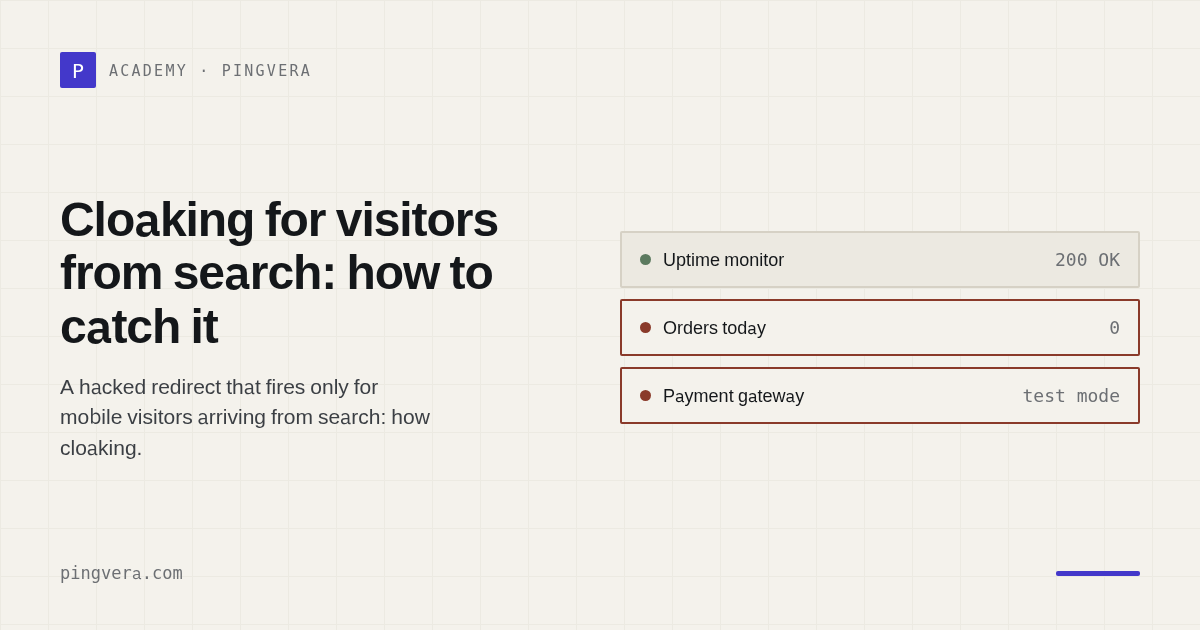
A client calls to say their site "redirects to a casino". You open the site — fine. You open it on your phone — fine. You check monitoring — green, not a single incident all month. The client insists, and you start suspecting their phone has malware.
The client is right. The site has simply been taught to show you one thing and a visitor from search another.
What cloaking is
Cloaking means serving different content to different visitors based on some signal. The technique is neutral in itself — serving a mobile layout works the same way. The problem is that after a compromise it is used to hide malicious behaviour from the site's owner.
The malware's logic is simple. It identifies who arrived and decides what to show:
- the owner and administrator — the normal site, unchanged;
- the search crawler — the normal site, to stay in the index and avoid a threat-list flag;
- a real visitor on mobile who arrived from search — a redirect to an affiliate page: casino, pharmacy, betting, subscription trap.
The signals used are almost always the same.
User-Agent. The string a browser uses to announce itself. The malware checks for a mobile marker and only acts on those. The reasoning is practical: mobile has a higher share of incidental visitors and a lower chance that somebody views the page source.
Referer. The header stating where the visitor came from. A search engine means an incidental visitor who does not know what the site normally looks like and will not be surprised by a redirect. An empty Referer — somebody typing the address directly — most likely means the owner, so show them normality.
Cookies and visit frequency. Returning visitors are not shown the substitution, to avoid raising suspicion.
Sometimes a time condition is added: the redirect activates at night, or a few seconds after load, so an owner who checks quickly sees nothing.
Why ordinary monitoring misses this
Here an uncomfortable admission is in order, because it applied to us.
An availability check requests the page and inspects the status code and content. It arrives with a single fixed User-Agent, usually an honest bot name, and with no Referer. In other words it looks exactly like the visitor the malware decided to show the normal site to. Monitoring sees normality and honestly reports it.
The second reason: server-side monitoring code generally does not execute
JavaScript. It receives HTML and analyses it as text. A server-side redirect —
through .htaccess or PHP — is visible in the redirect chain. A redirect
performed by a script inside the page simply does not exist for such a check.
Our availability check worked exactly that way: it compared the final URL after server-side redirects. The scenario "a hacked redirect to a casino, seen only by visitors from search" was named in our own material, while we only caught its simplest server-side form.
How to check: three personas
The right way to catch substitution is not to check the site once, but to request the same page as different visitors and compare the responses. If the site serves everyone the same thing there is nothing to compare. If it serves something different, that is the substitution.
A minimally sufficient set:
- The monitoring agent — the control, what your system sees.
- A desktop browser — what the owner sees.
- A mobile browser arriving from search — what the victim sees.
By hand, curl will do. Here is a request as a mobile visitor from search:
curl -sSL -o /dev/null -w '%{url_effective}\n' \
  -A 'Mozilla/5.0 (Linux; Android 14; Pixel 8) AppleWebKit/537.36 (KHTML, like Gecko) Chrome/140.0.0.0 Mobile Safari/537.36' \
  -H 'Referer: https://www.google.com/search?q=example.com' \
  https://example.com/
The -w '%{url_effective}' flag prints the final URL after all redirects. If it
is a foreign domain, you have found the substitution. Repeat with a desktop
User-Agent and no Referer: the difference between the two responses is your
evidence.
Three things are worth comparing.
The final host. The clearest signal: the site serves itself to one persona and a foreign domain to another.
The status code. Substitution is not always a redirect. Sometimes mobile gets a 200 with an entirely different page; sometimes the reverse — 200 to your bot and 302 to mobile.
Hidden transitions in the markup. Even without executing JavaScript the
signs are visible in the page source: assignments to location.href,
location.replace(), window.location, and <meta http-equiv="refresh">
pointing elsewhere. Internal transitions to the same domain are normal; what you
are looking for is transitions to a foreign host.
The routine for an agency
Do not check only the homepage. The malware often lives on category pages or articles — where search traffic lands. The homepage can be clean.
Check with a mobile agent and a search Referer. Without those two conditions the check is nearly pointless: it looks precisely where the malware is not hiding.
Do not trust your own browser. Your machine has most likely already been marked as "one of us": you visit directly and you carry cookies.
When a client complains, start by reproducing their conditions. Which device, where they came from, which query. "Works for me" is not a check.
Keep checking for weeks after a cleanup. Some malware restores itself from a scheduled task or from the database, and returns days later.
What changed in Pingvera
We added a check type, "Cloaking for visitors from search". It requests the page as the three personas above and compares the responses to each other: final host, status code, and hidden transitions in the markup. A divergence is the signal. The Referer is chosen to match the domain's likely search source.
Separately, what the check does not do, because that matters more than advertising what it does. It does not execute JavaScript. We deliberately keep a headless browser out of the production path: an orphaned browser process on one of our own servers once consumed memory, pushed the system into swap, and took monitoring down entirely. The cost of this check is three ordinary requests instead of launching a browser.
From that follows the boundary: a redirect that appears only after a script with complex logic runs — on a timer, after a touch event, after loading an external file — will not be caught this way. We catch the two most common cases: different HTML depending on User-Agent and Referer, and a transition to a foreign domain visible in the markup. In our observation that covers most real infections, but it is not exhaustive, and saying so is more honest than promising full coverage.
In short
- Cloaking shows the owner normality and a visitor from search a redirect.
- The decision is made on User-Agent, Referer and cookies; mobile is the usual target.
- Ordinary monitoring arrives with one agent and no Referer — that is, looking exactly like the visitor who is never shown the substitution.
- It is caught by comparing responses to the same page across personas.
- When a client complains, reproduce their conditions, not yours.
Know about problems before your customers do
Pingvera watches whether an online business actually works — uptime, checkout, orders, domain, SSL and server — and alerts you in Telegram, email or a webhook before a customer has to tell you.
Start free